Agent Observability
Trace agent, team, and workflow runs across models, tools, and steps.
A production agent run can cross models, tools, team members, and workflow steps. Platform teams use traces to explain an unexpected answer, locate a slow call, and follow a failure to its source. AgentOS instruments those runs with OpenTelemetry, stores trace data in your configured database, and renders the same trace tree in the Control Plane.
Install the AgentOS extras, which include OpenTelemetry and the Agno instrumentor. For the PostgreSQL/OpenAI example later on this page:
uv pip install -U "agno[os,openai]" psycopgConfigure a supported database before enabling tracing. The snippets assume agent and db already exist; replace the PostgreSQL connection URLs with working databases and set OPENAI_API_KEY before running an OpenAI agent.
from agno.os import AgentOS

agent_os = AgentOS(
    agents=[agent],
    db=db,
    tracing=True,
)
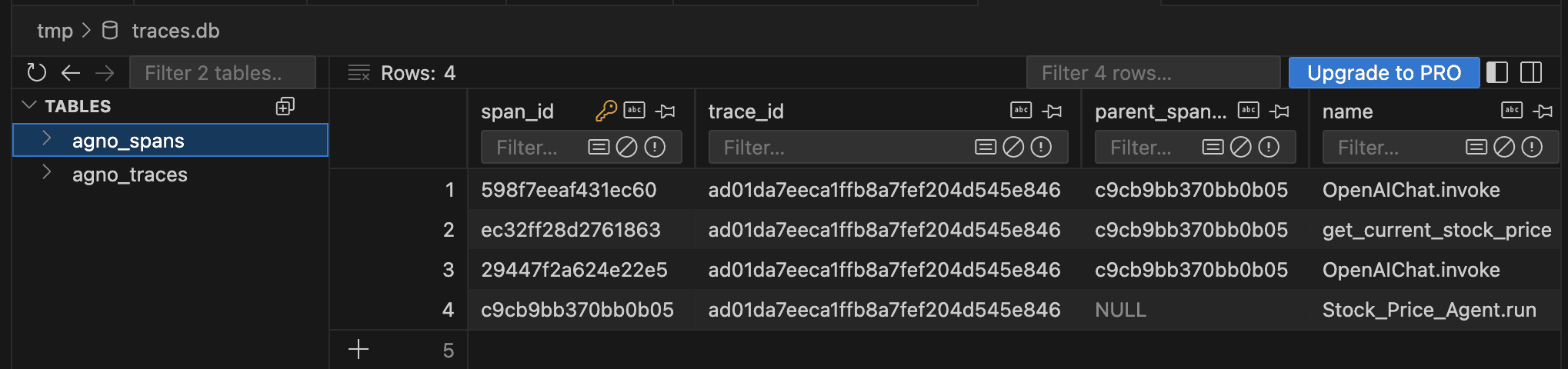
tracing=True instruments supported agent, team, and workflow operations. Each instrumented run produces spans for model calls, tool executions, team coordination, and workflow steps. AgentOS writes the aggregate trace to agno_traces and individual spans to agno_spans.
Where trace data goes
The built-in exporter writes trace records to the database you configure:
| Configuration | Trace destination |
|---|---|
AgentOS(db=trace_db, tracing=True) | trace_db |
AgentOS(tracing=True) with component databases | First database found on a native agent, team, or workflow |
AgentOS(tracing=True) with no database | Tracing is skipped and AgentOS logs a warning |
| Custom OpenTelemetry exporter | The exporter destination you configure |
Tracing setup is process-wide. If a real OpenTelemetry tracer provider is already installed, Agno’s setup returns without replacing it or adding another database exporter. Configure the provider and exporters together when combining integrations.
Tracing does not change where models and tools send data. An agent can still call external model providers, tools, or exporters. Trace attributes can contain prompts, tool arguments, and model output, so apply the same access and retention controls you use for other sensitive application data.
What gets captured
Each record in agno_spans stores the span name, parent, status, timestamps, duration, and an attributes JSON object. The aggregate row in agno_traces stores the run, session, user, and component IDs when present, plus overall status, start and end times, and duration.
Traces follow OpenInference semantic conventions, so you can query them directly:
-- Top 10 slowest span types by average duration
SELECT
    name,
    AVG(duration_ms) AS avg_ms,
    COUNT(*) AS calls
FROM ai.agno_spans
GROUP BY name
ORDER BY avg_ms DESC
LIMIT 10;
PostgresDb creates its tables in the ai schema by default (override with PostgresDb(db_schema=...)). Qualify the table as ai.agno_spans or add ai to your search_path.
In the AgentOS UI
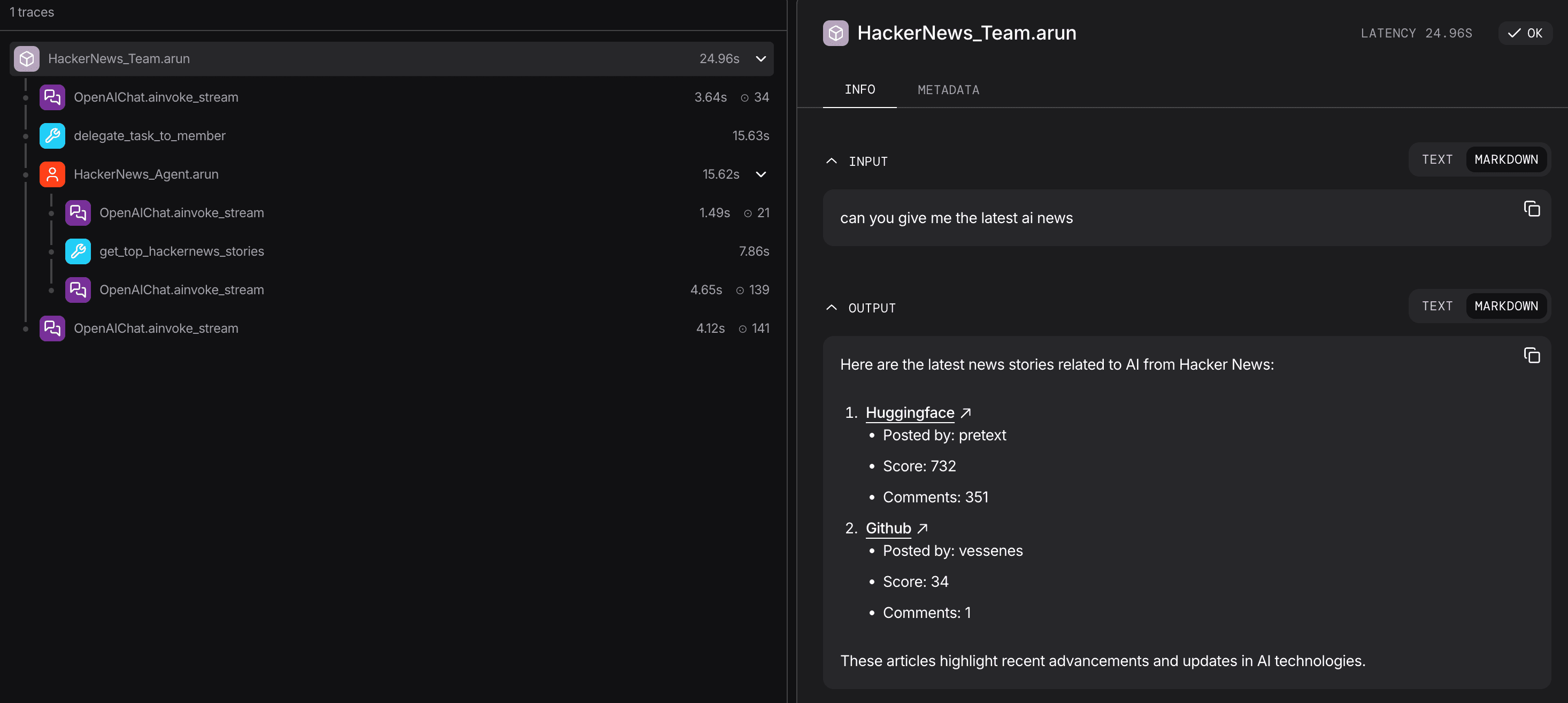
The control plane renders the same traces visually. Click a run to see the full tree: LLM hops, tool calls with their inputs and outputs, and sub-agent traces. Filter by user, session, or time range.
Multi-database tracing
Traces are high-volume and write-heavy, with a different cost profile, retention, and access pattern than sessions. For production, route them to a dedicated database by pointing the AgentOS db at it:
from agno.agent import Agent
from agno.db.postgres import PostgresDb
from agno.models.openai import OpenAIResponses
from agno.os import AgentOS

# Each agent keeps its own database
agent_db = PostgresDb(db_url="postgresql+psycopg://primary/...")

# Dedicated database for traces
trace_db = PostgresDb(db_url="postgresql+psycopg://traces/...")

agent = Agent(name="Research Agent", model=OpenAIResponses(id="gpt-5.2"), db=agent_db)

agent_os = AgentOS(
    agents=[agent],
    db=trace_db,   # All traces are written here
    tracing=True,
)
The AgentOS db is where traces land. Keeping it separate isolates trace write volume from your agent data and gives you independent retention and scaling.
See Multi-DB tracing for the setup_tracing() variant with batch tuning.
External providers
You can configure OpenTelemetry exporters for Langfuse, LangSmith, Arize, Logfire, MLflow, The Context Company, or another OpenTelemetry endpoint.
See the Observability section: Langfuse, LangSmith, Arize, Logfire, MLflow, The Context Company.