

Deploy AgentOS to AWS with ECS Fargate, RDS PostgreSQL, and an Application Load Balancer. Production-grade infrastructure that runs entirely in your cloud.Documentation Index
Fetch the complete documentation index at: https://docs.agno.com/llms.txt
Use this file to discover all available pages before exploring further.
Architecture
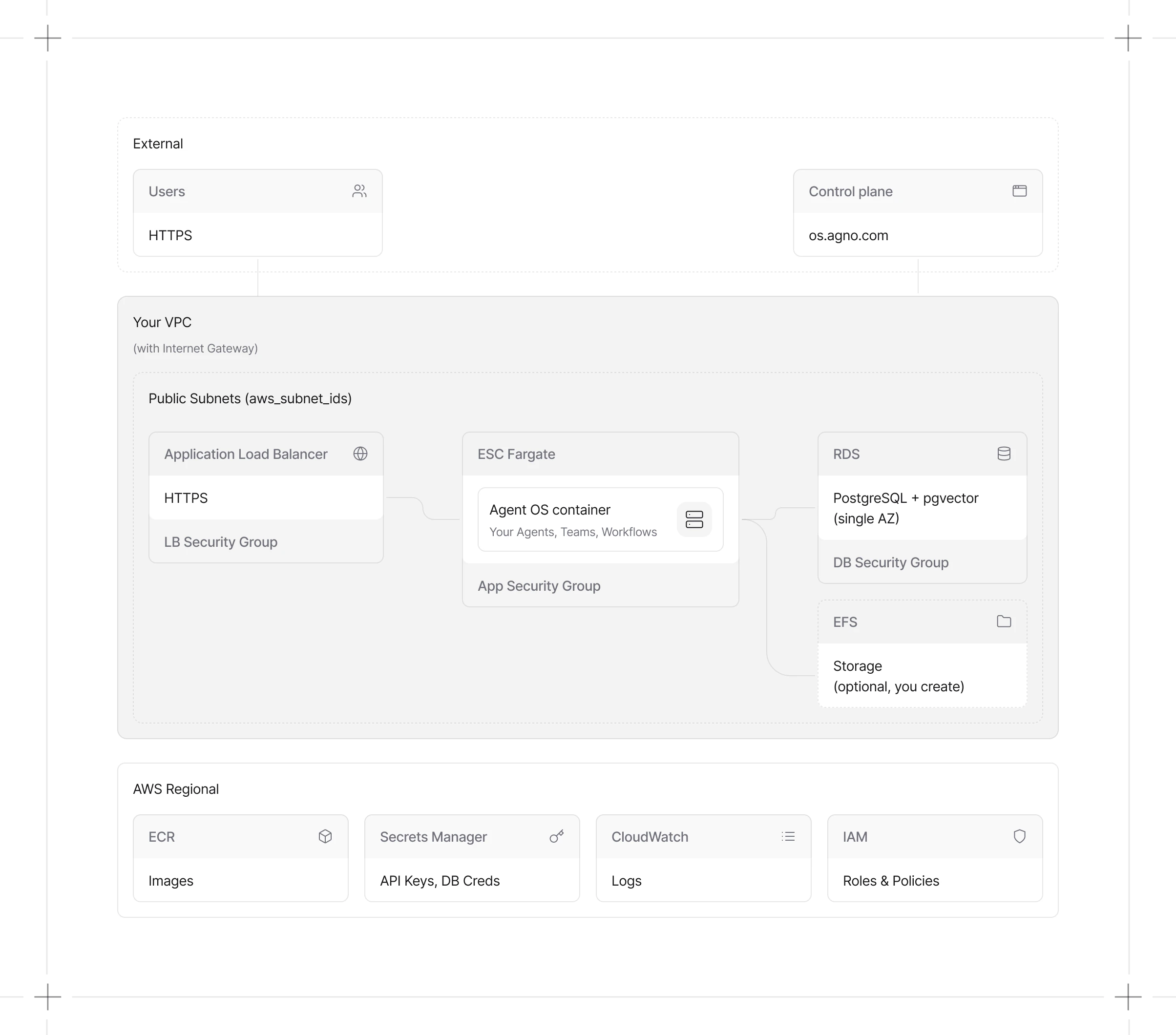
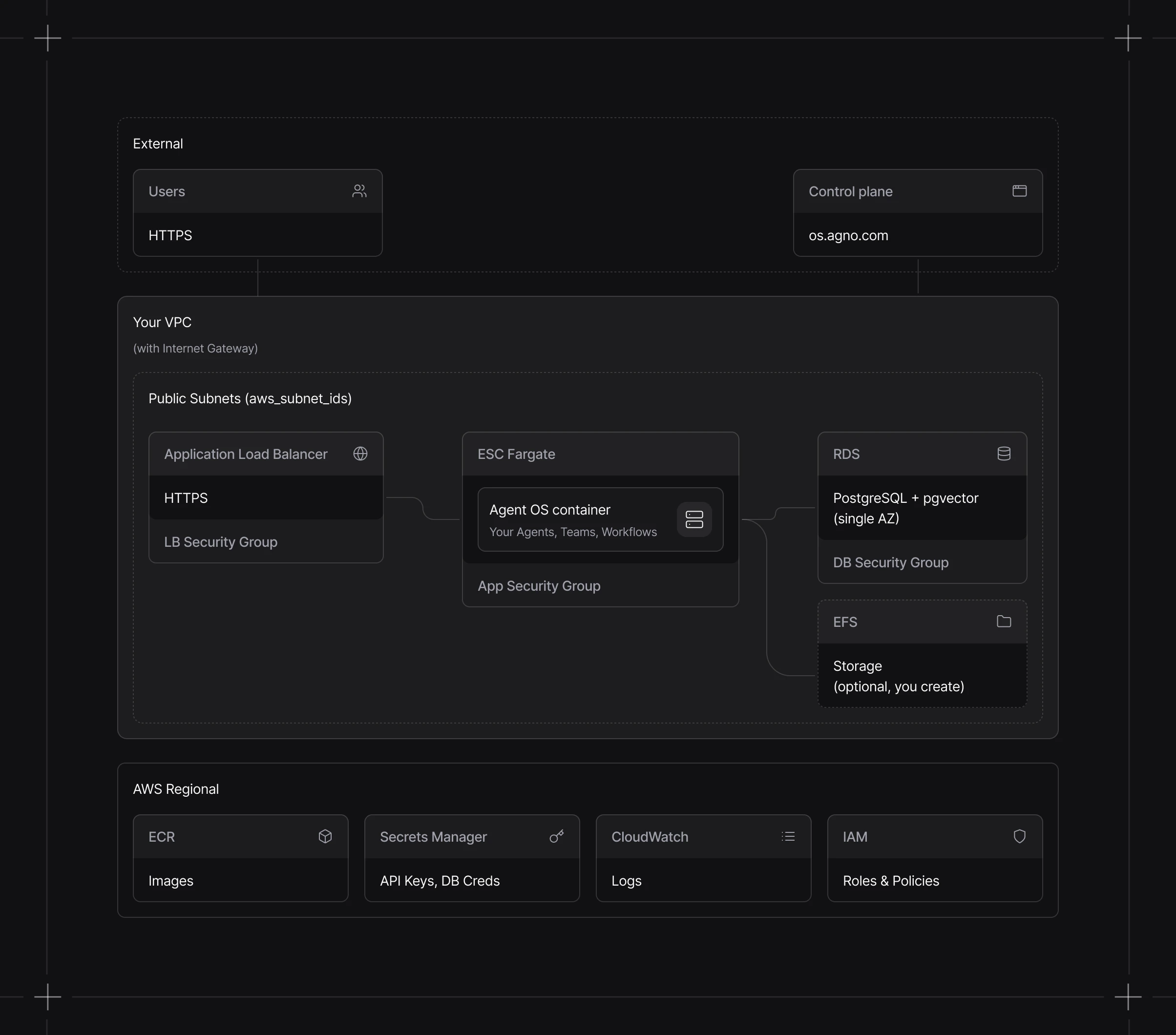
Cost
| Resource | Purpose | Monthly Cost |
|---|---|---|
| ECS Fargate | Serverless container hosting | $30-50 |
| RDS PostgreSQL | Managed database with pgvector | $25 |
| Application Load Balancer | HTTP/HTTPS endpoint | $20-25 |
| AWS Secrets Manager | Secure credential storage | < $1 |
| Security Groups | Network access controls | Free |
| Total | ~$75-100 |
Prerequisites
Install tools
- Install Docker Desktop
- Install uv (Python package manager)
- Install and configure the AWS CLI
Deploy
Step 1: AWS Setup
Choose your preferred method to create the ECR repository and find your subnet IDs:- AWS Console
- CLI
Create ECR repository: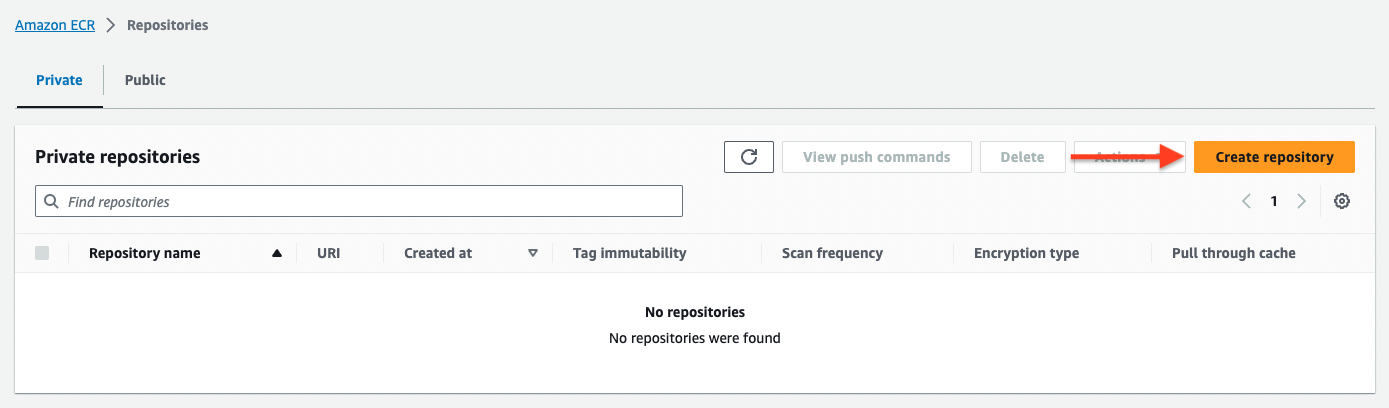
- Open Amazon ECR
- Click Create repository
- Set repository name to
my-agentos - Keep defaults and click Create repository
- Copy the repository URI (e.g.,
[ACCOUNT_ID].dkr.ecr.us-east-1.amazonaws.com/my-agentos)
ECR tokens expire after 12 hours. Re-run this command if you get
authentication errors.
- Open VPC Console → Subnets
- Look for subnets with Auto-assign public IP = Yes
- Note the Subnet IDs for 2+ subnets in different availability zones
Step 2: Configure
Create secrets files
Step 3: Test & Deploy
Test locally (optional)
Deploy to AWS
- Docker image pushed to ECR
- RDS PostgreSQL instance with pgvector
- ECS Cluster, Service, and Task Definition
- Application Load Balancer with Target Group
- Security Groups for network isolation
RDS takes 5-10 minutes to provision. The deployment will wait for it
automatically.
Step 4: Get Your Endpoint
- AWS Console
- CLI
- Open EC2 Console → Load Balancers
- Find your load balancer (named
my-agentos-...) - Copy the DNS name
{"status": "ok", "instantiated_at": "..."}
Next Steps
Configure Settings
Region, subnets, and ECR
Connect to AgentOS
Run your agents in the cloud
Verify Deployment
Confirm everything is working
Troubleshooting
'No basic auth credentials' error
'No basic auth credentials' error
ECR tokens expire after 12 hours. Re-run the authentication command:
RDS provisioning takes too long
RDS provisioning takes too long
RDS typically takes 5-10 minutes. Check status in RDS
Console → Databases. Look for the
database status to change from “Creating” to “Available”.
Can't find public subnets
Can't find public subnets
Public subnets have a route to an Internet Gateway. In the VPC Console: 1. Go
to Route Tables 2. Find tables with a route to
igw-xxx (Internet
Gateway) 3. Check which subnets are associated with those route tablesHealth check returns 502 Bad Gateway
Health check returns 502 Bad Gateway
The container may still be starting. Wait 2-3 minutes and retry.If it persists, check ECS task logs:
- Open ECS Console → Clusters →
my-agentos - Click on the running task
- Go to Logs tab to see container output
Task keeps stopping and restarting
Task keeps stopping and restarting
This usually indicates the container is crashing. Common causes:
- Missing environment variables (check your secrets files)
- Invalid API keys
- Database connection issues