AgentOS Control Plane
Manage and monitor AgentOS runtimes from one web interface.
The AgentOS Control Plane at os.agno.com lets you manage and monitor connected AgentOS runtimes. Chat with agents, inspect traces and sessions, manage knowledge and memory, review approvals, and operate schedules from one web interface.
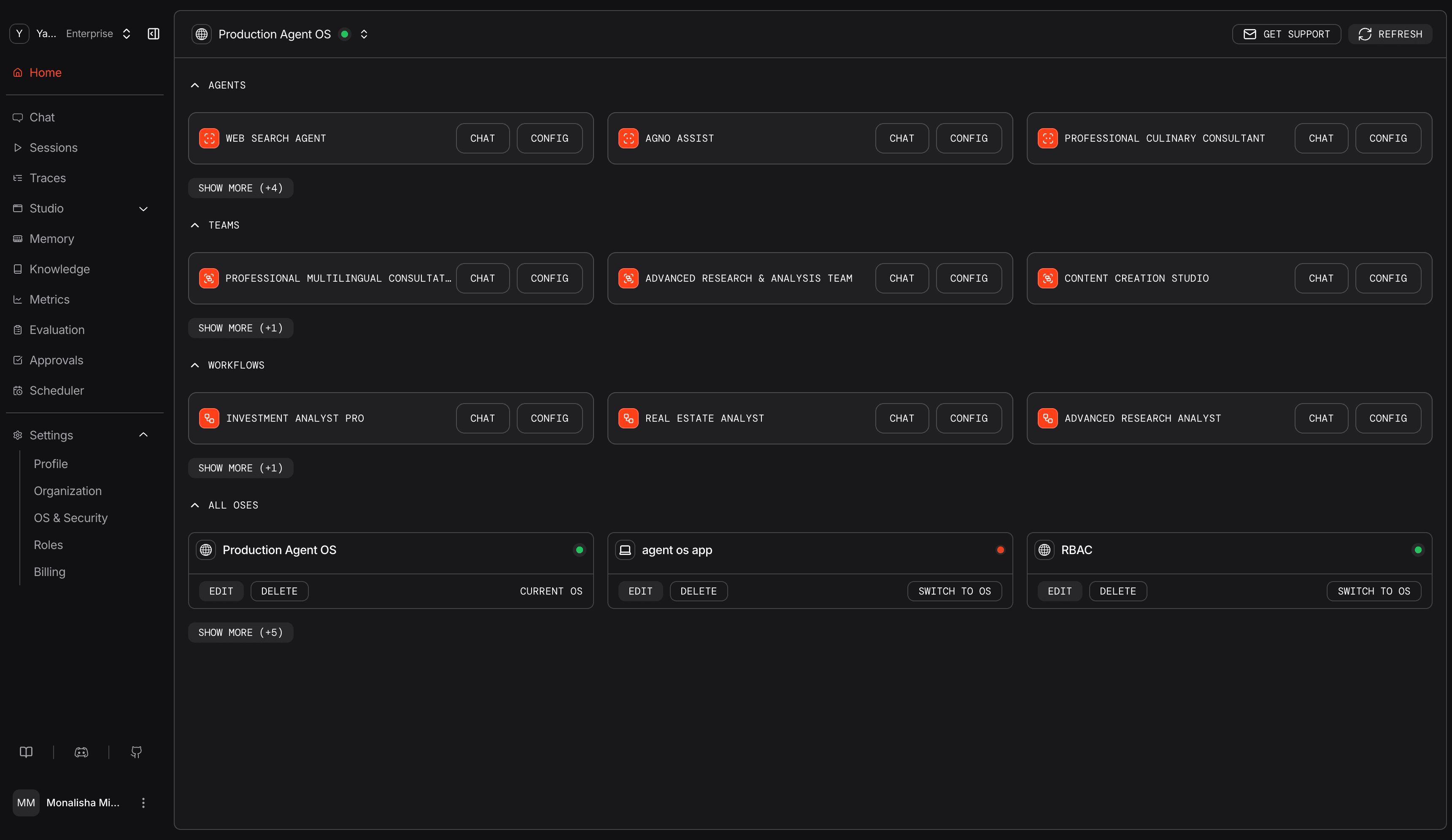
The Control Plane connects directly from your browser to your AgentOS runtime.
Chat Interface
Chat with agents, collaborate with teams, and run workflows from one screen.
See Agents, Teams, and Workflows for more details.
Agents
Select an agent from the right panel and start a conversation. Each agent maintains its own history, tools, and instructions. Switching agents won't mix contexts.
Teams
Switch the toggle to Teams. Use the chat stream to watch how the team divides and solves the task.
Workflows
Switch to Workflows. Provide input (plain text or structured, depending on the workflow) and watch execution live as steps stream, produce output, and finish.
Studio
Build agents, teams, and workflows visually on a live canvas. Drag, drop, configure, and deploy without leaving the control plane.
See Studio for setup details.
Approvals
Pending tool executions can require human confirmation. Approvals pause runs until an admin resolves the request.
See Approvals for setup details.
Tracing
Traces capture the complete execution flow of agents and teams. Each trace contains spans representing individual operations (LLM calls, tool executions, etc.) with token usage, latency, and error information.
Tree View
Displays spans in a hierarchical structure showing parent-child relationships between operations. Useful for understanding how teams delegate to agents and how agents invoke tools.
Waterfall View
Visualizes spans on a time axis showing when each operation started, how long it took, and which operations ran in parallel. Helps identify bottlenecks and optimize performance.
See Tracing for configuration and filter options.
Session Tracking
Sessions group related runs under a single session_id. Each session captures messages, tool calls, metrics, and summaries for a single conversation. Sessions are stored in your database and can be queried and managed from the control plane.
See Chat History and Session Storage for more details.
Knowledge
Knowledge bases provide agents with domain-specific information through RAG (Retrieval-Augmented Generation). Manage multiple knowledge bases, add content from URLs, files, or text, and monitor embedding status. Each knowledge base stores documents, chunks them, generates embeddings, and makes them searchable for agents.
See Manage Knowledge for setup details.
Memories
Memories store information that agents learn about users across conversations. Each memory is tied to a user ID and contains content, topics, timestamps, and the input that generated it. You can view, create, edit, or delete memories from the control plane.
See Memory for more details.
Schedules
Automate agents, teams, and workflows via AgentOS cron schedules. Configure custom intervals, retry logic, and timezones. Use the control plane to monitor run history, enable/disable job states, or trigger manual executions.
For setup and API details, see Scheduler documentation.
Managing Your AgentOS
Connect and inspect your AgentOS runtimes from a single interface. Switch between local development and production instances and monitor connection health.
See Connect Your AgentOS for the connection steps.
Authorization
Enable JWT verification and generate key pairs from the control plane, either when connecting an OS or later from Settings.
See AgentOS Security and Authorization for setup details.
User Management
Invite team members by entering their email addresses. Separate multiple emails with commas or press Enter/Tab between addresses.
Every organization has three default roles. Custom roles are available on the Enterprise plan.
| Role | Access |
|---|---|
| Owner | Full access including billing, organization settings, and deletion |
| Administrator | Manage members, roles, settings, and resources; cannot update billing or delete the organization |
| Member | Run and edit AgentOS resources; cannot delete resources or manage members |
See Roles for the full capability matrix and custom role setup.