Scheduler
Deploy and manage scheduled execution for agents and workflows via AgentOS cron jobs.
Run cron-based jobs in AgentOS with built-in schedule management and run history.
pip install "agno[os,scheduler]" openai "psycopg[binary]"Run PostgreSQL at the connection URL shown below (database/user/password ai, port 5532), or replace it with your own. Export OPENAI_API_KEY for the model, then save this as scheduler_app.py.
export OPENAI_API_KEY="your_openai_api_key"from agno.agent import Agent
from agno.db.postgres import PostgresDb
from agno.models.openai import OpenAIResponses
from agno.os import AgentOS
db = PostgresDb(db_url="postgresql+psycopg://ai:ai@localhost:5532/ai")
greeter = Agent(
id="greeter",
model=OpenAIResponses(id="gpt-5.5"),
instructions=["Reply with a short greeting."],
db=db,
)
app = AgentOS(
agents=[greeter],
db=db,
scheduler=True,
scheduler_poll_interval=15,
scheduler_base_url="http://127.0.0.1:7777",
).get_app()Start the server before calling the schedule API:
uvicorn scheduler_app:app --host 127.0.0.1 --port 7777scheduler_base_url must reach the actual AgentOS listener. The scheduler submits run endpoints as background runs and polls their status. A PAUSED run is waiting for human input; it is recorded as paused rather than retried as a failure.
Create Schedule
Create a schedule with the Scheduler API:
curl -X POST http://localhost:7777/schedules \
  -H "Content-Type: application/json" \
  -d '{
    "name": "greeting-every-5m",
    "cron_expr": "*/5 * * * *",
    "endpoint": "/agents/greeter/runs",
    "method": "POST",
    "payload": {"message": "Say hello"},
    "timezone": "UTC",
    "max_retries": 2,
    "retry_delay_seconds": 30
  }'
Create a schedule using the AgentOS UI:
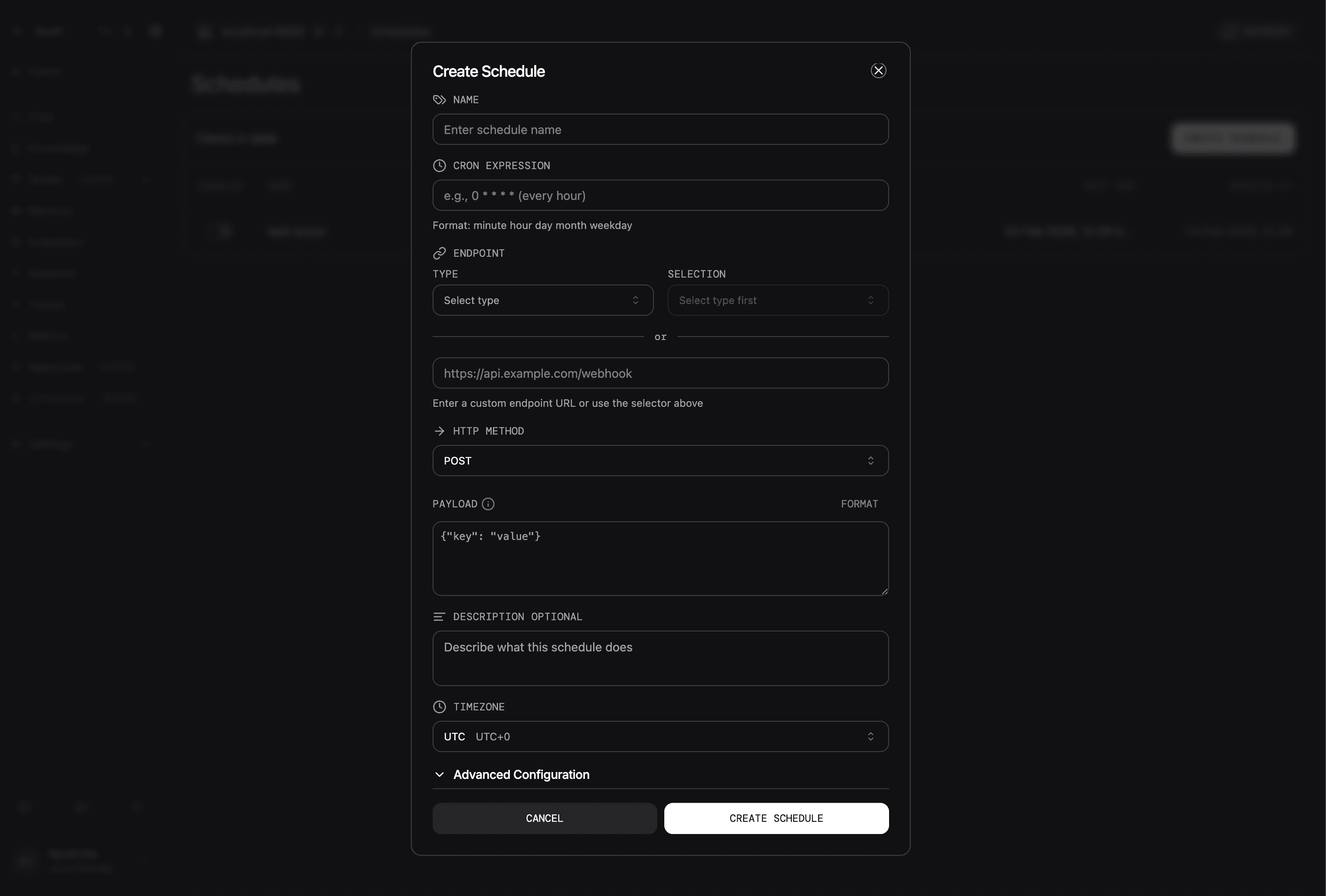
Managing Schedules
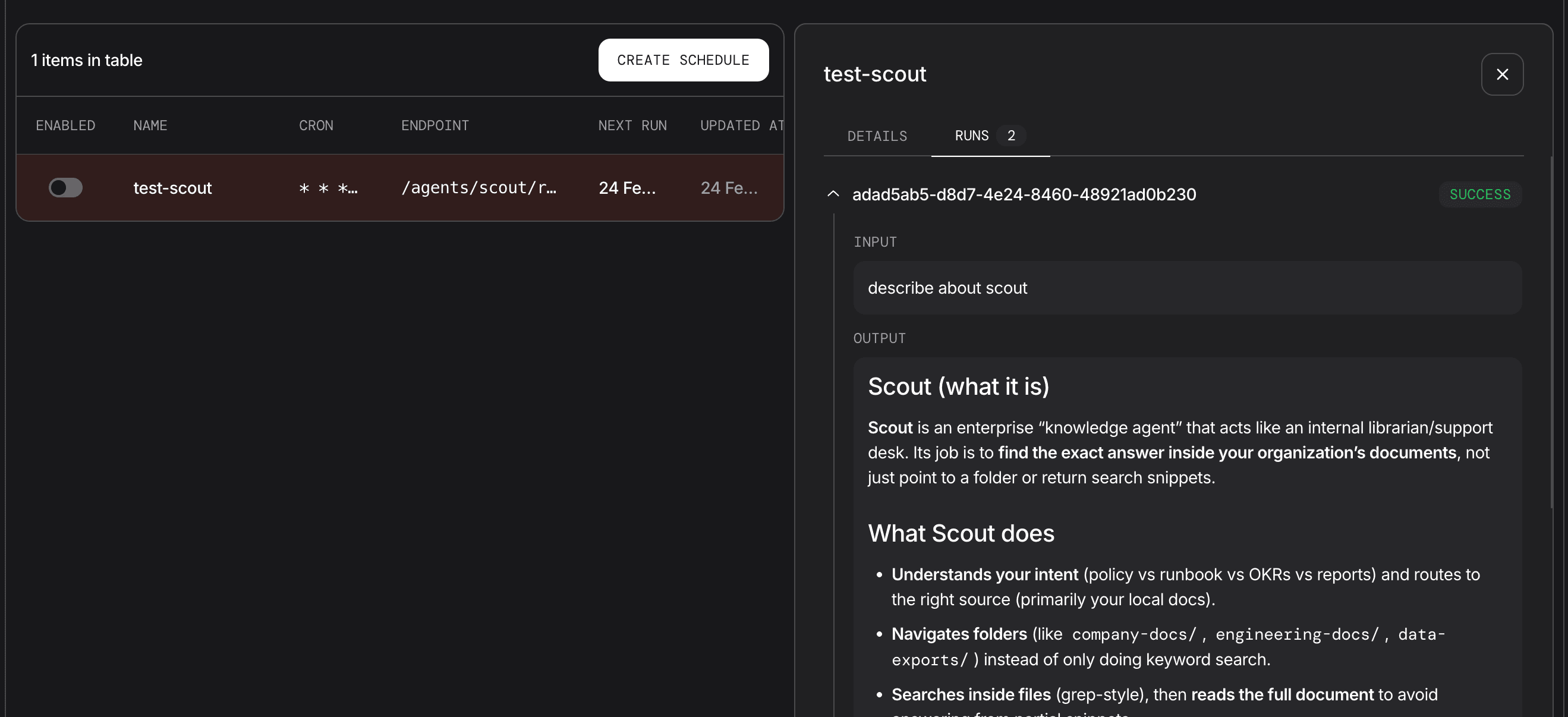
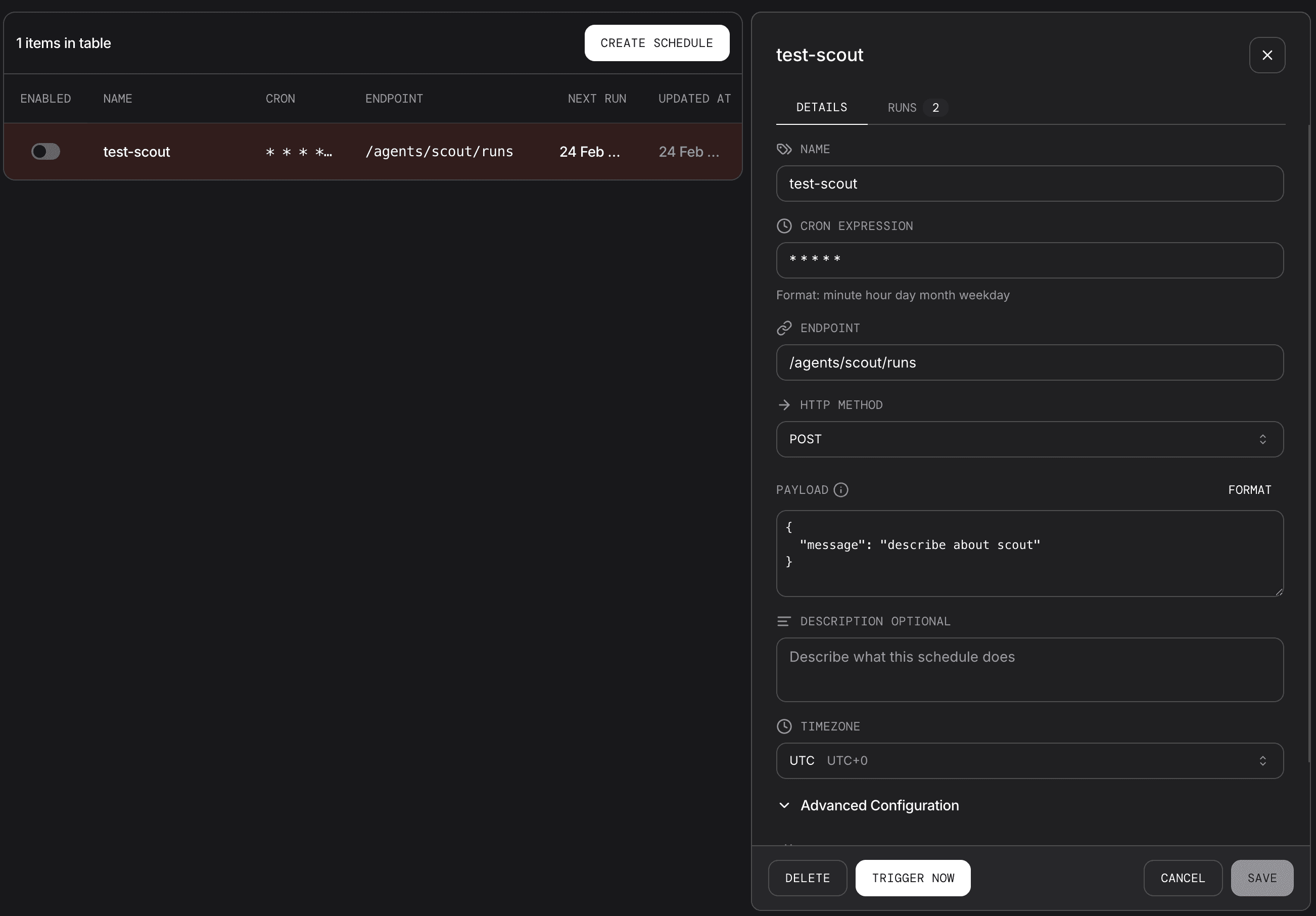
Manage execution schedules via the AgentOS Control Plane. Select any row entry in the Scheduler details panel to view configuration details and run history.
Edit schedule configuration, enable or disable a schedule, trigger it manually, or delete it.
Key Concepts
| Concept | Description |
|---|---|
| Cron | Standard 5-field cron syntax: minute hour day-of-month month day-of-week |
| Endpoint | Path only (for example /agents/greeter/runs), not a full URL |
| Timezone | IANA timezone string, defaults to UTC |
| Retries | max_retries and retry_delay_seconds control failure retries |
| Run history | Each execution stores status, timing, input, output, and errors |
Scheduler API
| Operation | Endpoint |
|---|---|
| Create schedule | POST /schedules |
| List schedules | GET /schedules |
| Get schedule | GET /schedules/{schedule_id} |
| Update schedule | PATCH /schedules/{schedule_id} |
| Delete schedule | DELETE /schedules/{schedule_id} |
| Enable or disable | POST /schedules/{schedule_id}/enable and POST /schedules/{schedule_id}/disable |
| Trigger now | POST /schedules/{schedule_id}/trigger |
| List runs | GET /schedules/{schedule_id}/runs |
| Get run | GET /schedules/{schedule_id}/runs/{run_id} |
Next Steps
| Task | Guide |
|---|---|
| Start with a minimal setup | Basic Schedule |
| Manage schedules with REST | Schedule Management |
| Check request and response schemas | Schedule API schemas |
| Explore all scheduler examples | Scheduler Examples |