Background Hooks
Run agent hooks as non-blocking background tasks in AgentOS
When serving agents or teams through AgentOS, you can configure pre-hooks and post-hooks to run as background tasks. The response still waits for the agent or team run. Background hooks execute after the HTTP response has been sent, so their own work does not delay it.
Why Use Background Hooks?
By default, hooks used by agents and teams in your AgentOS are in the execution path and block the response:
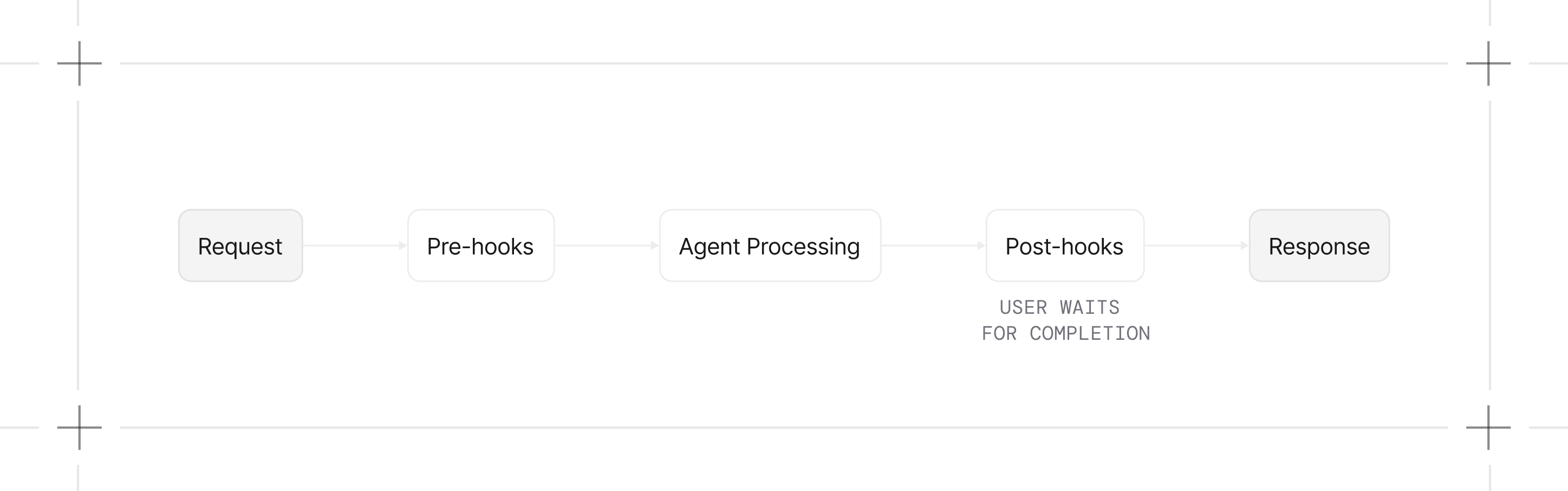
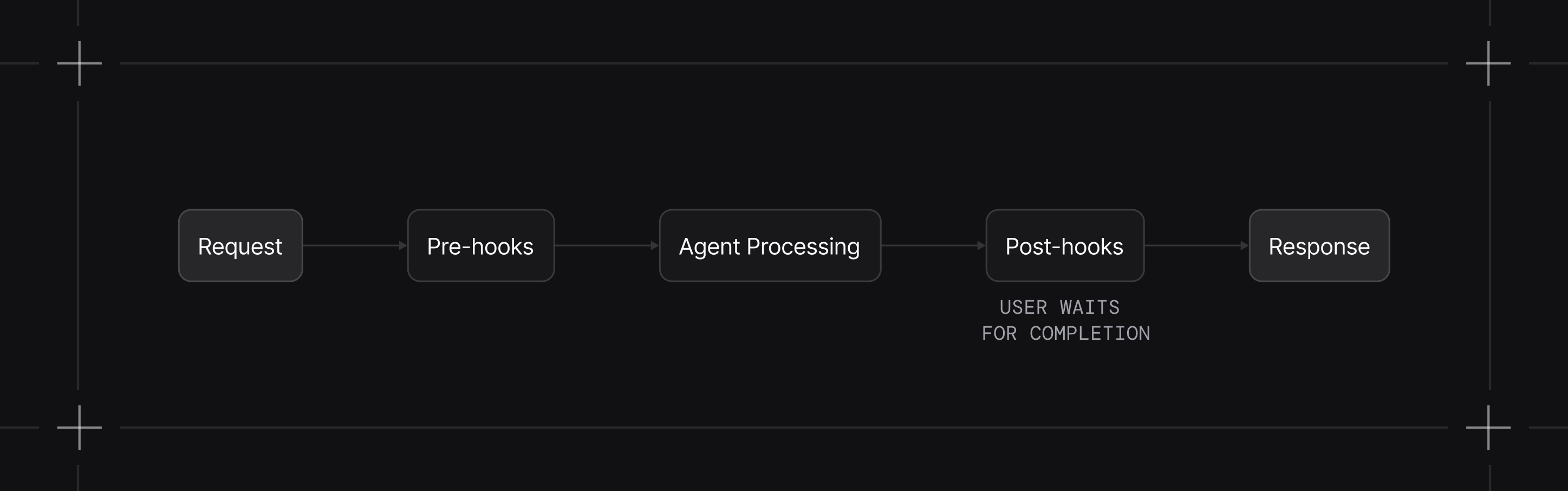
With background hooks enabled, your hooks won't block the response, increasing response speed:
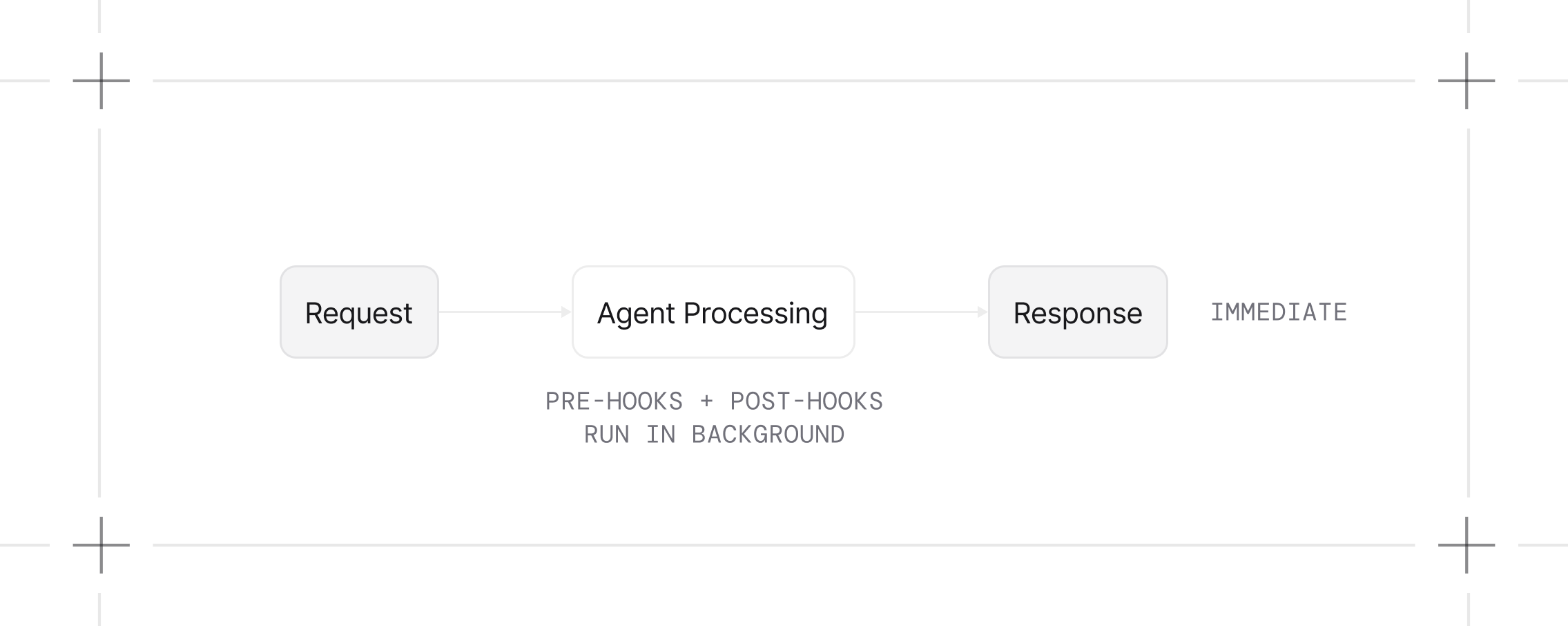
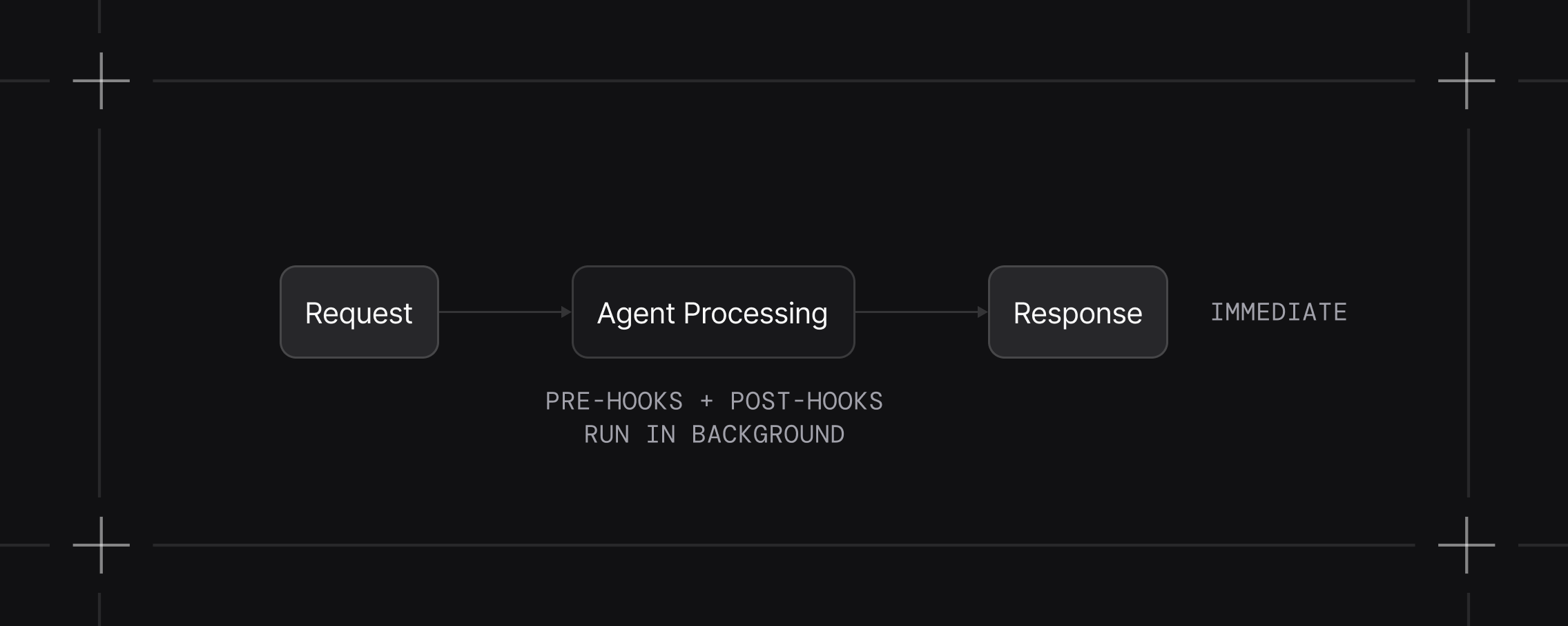
This is useful for:
- Agent Evaluation: Evaluate the agent's responses without affecting the responses themselves
- Analytics and logging: Track usage patterns without affecting response time
- Notifications: Send emails, Slack messages, or webhook calls
- External API calls: Sync data with third-party services
- Non-critical data processing: Tasks that don't affect the response
Enabling Background Tasks
There are two ways to enable background execution for hooks:
Option 1: Global Setting via AgentOS
This configuration fragment assumes you already created agent, team, and workflow. Enable background execution for their ordinary hooks (including agents and teams inside workflows); BaseGuardrail instances remain in the run path:
from agno.os import AgentOS

agent_os = AgentOS(
    agents=[agent],
    teams=[team],
    workflows=[workflow],
    run_hooks_in_background=True,  # All hooks run in background
)
When enabled, this setting automatically propagates to:
- All agents registered with AgentOS
- All teams and their member agents (including nested teams)
- All workflows and the agents/teams within their steps
See Global Background Hooks Example for an example.
Note that pre-hooks are typically used for validation or modification of the input of a run. If you use them as background tasks, they will execute after the run has already been initiated.
If you have hooks that should not run as background tasks, you should use the second option and mark only the specific hooks to run in background.
Option 2: Per-Hook Setting via Decorator
Mark specific hooks using the @hook decorator. This notification fragment assumes an application-defined send_slack_message coroutine; see the complete linked example for installation and a running server:
from agno.hooks import hook

@hook(run_in_background=True)
async def send_notification(run_output, agent):
    """Only this hook runs in the background."""
    await send_slack_message(run_output.content)
This approach gives you fine-grained control: critical hooks are executed during the run while non-critical hooks run in the background.
See Per-Hook Background Example for an example.
Background scheduling requires AgentOS. Direct arun() calls await async hooks in the run path. Direct run() calls require synchronous hooks and raise ValueError when given an async hook.
How It Works
AgentOS uses FastAPI's BackgroundTasks to schedule hooks for execution after the response is sent.
Background tasks execute sequentially after the response is sent. If you have multiple background hooks, they run one after another.
Pre- and post-hooks in background mode cannot modify the request or response. Any modifications to run_input or run_output won't affect the agent's processing. Only use background mode for pre- and post-hooks that perform logging or monitoring. BaseGuardrail instances are an exception: they remain in the foreground, even when run_hooks_in_background=True, so their checks can still block the run.
Data Isolation
When hooks run in the background, AgentOS attempts to create deep copies of:
run_input- The input to the agent runrun_context- The current run contextrun_output- The output from the agentsession_state- The current session statedependencies- The dependencies passed to the runmetadata- The run metadata
If a value cannot be copied, AgentOS logs a warning and passes the original reference to the hook. Use immutable values or independently created dependencies when a background hook might mutate them.
Error Handling
These are process-local tasks, not durable queued jobs. Shutdown or an earlier task failure can prevent later work from finishing. Use durable background execution when work must survive a worker restart.
Errors cannot change an already-sent response. The following application fragment assumes hook, logger, and external_api_call are defined:
@hook(run_in_background=True)
async def safe_background_hook(run_output, agent):
    try:
        await external_api_call(run_output)
    except Exception as e:
        logger.error(f"Background hook failed: {e}")
Examples
Global Background Hooks
Enable background hooks globally for all agents
Per-Hook Background
Mix synchronous and background hooks
Output Evaluation
Use an agent-as-judge to evaluate responses