> ## Documentation Index
> Fetch the complete documentation index at: https://docs.agno.com/llms.txt
> Use this file to discover all available pages before exploring further.
# Custom Functions in Workflows
> Run custom Python functions as workflow steps by passing them as the Step executor.
Custom functions give you full control over a step's logic. Use them to preprocess inputs, orchestrate agents and teams, and postprocess outputs.
**Key Capabilities**
* **Custom Logic**: Implement complex business rules and data transformations
* **Agent Integration**: Call agents and teams within your custom processing logic
* **Data Flow Control**: Transform outputs between steps
**Implementation Pattern**
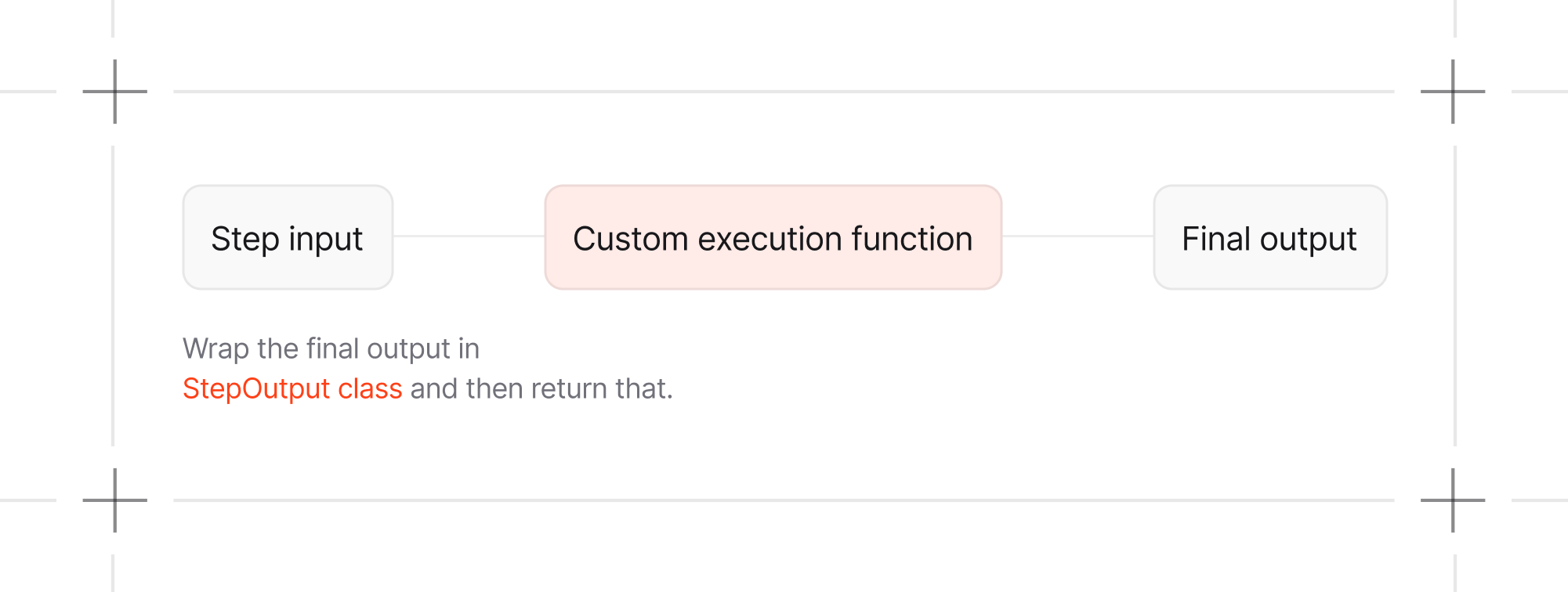
Define a `Step` with a custom function as the `executor`. A standard function accepts `StepInput` and returns `StepOutput`. Generator functions can yield executor events before yielding their final `StepOutput`.
 ## Example
```python theme={null}
from agno.workflow import Step, StepInput, StepOutput, Workflow
def collect_research(step_input: StepInput) -> StepOutput:
return StepOutput(content=f"Research notes for {step_input.input}")
def create_content_plan(step_input: StepInput) -> StepOutput:
research = step_input.previous_step_content or "No research available"
return StepOutput(
content=f"Content plan based on:\n{research}",
)
content_planning_step = Step(
name="Content Planning Step",
executor=create_content_plan,
)
workflow = Workflow(
name="Content Planning Workflow",
steps=[collect_research, content_planning_step],
)
workflow.print_response("Agent architecture", markdown=True)
```
**Standard Pattern**
A synchronous function step follows this structure:
```python theme={null}
def custom_content_planning_function(step_input: StepInput) -> StepOutput:
content = step_input.previous_step_content or str(step_input.input)
return StepOutput(content=f"Processed:\n{content}")
```
## Class-based executor
You can also use a class-based executor by defining a class that implements the `__call__` method.
```python theme={null}
class CustomExecutor:
def __call__(self, step_input: StepInput) -> StepOutput:
content = step_input.previous_step_content or str(step_input.input)
return StepOutput(content=f"Processed:\n{content}")
content_planning_step = Step(
name="Content Planning Step",
executor=CustomExecutor(),
)
```
**When is this useful?**
* **Configuration at initialization**: Pass in settings, API keys, or behavior flags when creating the executor
* **Stateful execution**: Maintain state while the same executor instance is reused
* **Reusable components**: Create configured executor instances that can be shared across multiple workflows
Protect mutable executor state when workflow runs can overlap.
```python theme={null}
class CustomExecutor:
def __init__(self, prefix: str = "Processed"):
self.prefix = prefix
self.call_count = 0
def __call__(self, step_input: StepInput) -> StepOutput:
self.call_count += 1
content = step_input.previous_step_content or str(step_input.input)
return StepOutput(
content=f"{self.prefix} call {self.call_count}:\n{content}"
)
content_planning_step = Step(
name="Content Planning Step",
executor=CustomExecutor(prefix="Content plan"),
)
```
Class-based executors also support async execution. Define the `__call__` method as an async function.
```python theme={null}
class CustomExecutor:
async def __call__(self, step_input: StepInput) -> StepOutput:
content = step_input.previous_step_content or str(step_input.input)
return StepOutput(content=f"Processed:\n{content}")
content_planning_step = Step(
name="Content Planning Step",
executor=CustomExecutor(),
)
```
For a detailed example see [Class-based Executor](/workflows/usage/class-based-executor).
## Streaming from a Custom Function
An async generator function can yield agent or team events followed by its final `StepOutput`. AgentOS can then expose those events through the workflow stream.
Use `.arun()` for an agent or team called from an async function executor.
```python custom_function_step_async_stream.py theme={null}
from typing import AsyncIterator, Union
from agno.agent import Agent
from agno.db.in_memory import InMemoryDb
from agno.models.openai import OpenAIResponses
from agno.run.agent import RunOutputEvent
from agno.workflow import Step, StepInput, StepOutput
content_planner = Agent(
name="Content Planner",
model=OpenAIResponses(id="gpt-5.2"),
instructions="Create a concise content plan from the supplied research.",
db=InMemoryDb(),
)
async def custom_content_planning_function(
step_input: StepInput,
) -> AsyncIterator[Union[RunOutputEvent, StepOutput]]:
message = step_input.input
previous_step_content = step_input.previous_step_content
planning_prompt = f"""
Topic: {message}
Research: {previous_step_content or "No research results"}
Create a four-week content plan with three posts per week.
"""
try:
events = content_planner.arun(
planning_prompt, stream=True, stream_events=True
)
async for event in events:
yield event
response = content_planner.get_last_run_output()
yield StepOutput(content=response.content if response else "")
except Exception as exc:
yield StepOutput(
content=f"Custom content planning failed: {exc}",
success=False,
)
content_planning_step = Step(
name="Content Planning Step",
executor=custom_content_planning_function,
)
```
Streaming works the same way with a class-based executor. Define the `__call__` method to yield the events.
## Install the Streaming Dependencies
```bash theme={null}
uv pip install -U agno openai
```
## Developer Resources
* [Step with a Custom Function](/workflows/usage/step-with-function)
* [Step with a Custom Function with Streaming on AgentOS](/workflows/usage/step-with-function-streaming-agentos)
* [Parallel steps workflow](/workflows/usage/parallel-steps-workflow)
## Example
```python theme={null}
from agno.workflow import Step, StepInput, StepOutput, Workflow
def collect_research(step_input: StepInput) -> StepOutput:
return StepOutput(content=f"Research notes for {step_input.input}")
def create_content_plan(step_input: StepInput) -> StepOutput:
research = step_input.previous_step_content or "No research available"
return StepOutput(
content=f"Content plan based on:\n{research}",
)
content_planning_step = Step(
name="Content Planning Step",
executor=create_content_plan,
)
workflow = Workflow(
name="Content Planning Workflow",
steps=[collect_research, content_planning_step],
)
workflow.print_response("Agent architecture", markdown=True)
```
**Standard Pattern**
A synchronous function step follows this structure:
```python theme={null}
def custom_content_planning_function(step_input: StepInput) -> StepOutput:
content = step_input.previous_step_content or str(step_input.input)
return StepOutput(content=f"Processed:\n{content}")
```
## Class-based executor
You can also use a class-based executor by defining a class that implements the `__call__` method.
```python theme={null}
class CustomExecutor:
def __call__(self, step_input: StepInput) -> StepOutput:
content = step_input.previous_step_content or str(step_input.input)
return StepOutput(content=f"Processed:\n{content}")
content_planning_step = Step(
name="Content Planning Step",
executor=CustomExecutor(),
)
```
**When is this useful?**
* **Configuration at initialization**: Pass in settings, API keys, or behavior flags when creating the executor
* **Stateful execution**: Maintain state while the same executor instance is reused
* **Reusable components**: Create configured executor instances that can be shared across multiple workflows
Protect mutable executor state when workflow runs can overlap.
```python theme={null}
class CustomExecutor:
def __init__(self, prefix: str = "Processed"):
self.prefix = prefix
self.call_count = 0
def __call__(self, step_input: StepInput) -> StepOutput:
self.call_count += 1
content = step_input.previous_step_content or str(step_input.input)
return StepOutput(
content=f"{self.prefix} call {self.call_count}:\n{content}"
)
content_planning_step = Step(
name="Content Planning Step",
executor=CustomExecutor(prefix="Content plan"),
)
```
Class-based executors also support async execution. Define the `__call__` method as an async function.
```python theme={null}
class CustomExecutor:
async def __call__(self, step_input: StepInput) -> StepOutput:
content = step_input.previous_step_content or str(step_input.input)
return StepOutput(content=f"Processed:\n{content}")
content_planning_step = Step(
name="Content Planning Step",
executor=CustomExecutor(),
)
```
For a detailed example see [Class-based Executor](/workflows/usage/class-based-executor).
## Streaming from a Custom Function
An async generator function can yield agent or team events followed by its final `StepOutput`. AgentOS can then expose those events through the workflow stream.
Use `.arun()` for an agent or team called from an async function executor.
```python custom_function_step_async_stream.py theme={null}
from typing import AsyncIterator, Union
from agno.agent import Agent
from agno.db.in_memory import InMemoryDb
from agno.models.openai import OpenAIResponses
from agno.run.agent import RunOutputEvent
from agno.workflow import Step, StepInput, StepOutput
content_planner = Agent(
name="Content Planner",
model=OpenAIResponses(id="gpt-5.2"),
instructions="Create a concise content plan from the supplied research.",
db=InMemoryDb(),
)
async def custom_content_planning_function(
step_input: StepInput,
) -> AsyncIterator[Union[RunOutputEvent, StepOutput]]:
message = step_input.input
previous_step_content = step_input.previous_step_content
planning_prompt = f"""
Topic: {message}
Research: {previous_step_content or "No research results"}
Create a four-week content plan with three posts per week.
"""
try:
events = content_planner.arun(
planning_prompt, stream=True, stream_events=True
)
async for event in events:
yield event
response = content_planner.get_last_run_output()
yield StepOutput(content=response.content if response else "")
except Exception as exc:
yield StepOutput(
content=f"Custom content planning failed: {exc}",
success=False,
)
content_planning_step = Step(
name="Content Planning Step",
executor=custom_content_planning_function,
)
```
Streaming works the same way with a class-based executor. Define the `__call__` method to yield the events.
## Install the Streaming Dependencies
```bash theme={null}
uv pip install -U agno openai
```
## Developer Resources
* [Step with a Custom Function](/workflows/usage/step-with-function)
* [Step with a Custom Function with Streaming on AgentOS](/workflows/usage/step-with-function-streaming-agentos)
* [Parallel steps workflow](/workflows/usage/parallel-steps-workflow)