> ## Documentation Index
> Fetch the complete documentation index at: https://docs.agno.com/llms.txt
> Use this file to discover all available pages before exploring further.
# Welcome to Agno
> **Agno lets you build, run, and manage your own agent platform.**
Agno is an SDK and runtime for building your own agent platform.
* Build agents, multi-agent teams, and step-based agentic workflows using the Agno SDK.
* Run agents as a service using the AgentOS runtime. Every agent becomes an API that runs multi-user, isolated sessions with tracing, scheduling, RBAC, and audit logs. Build products and systems on top.
* Manage everything from a unified control plane.
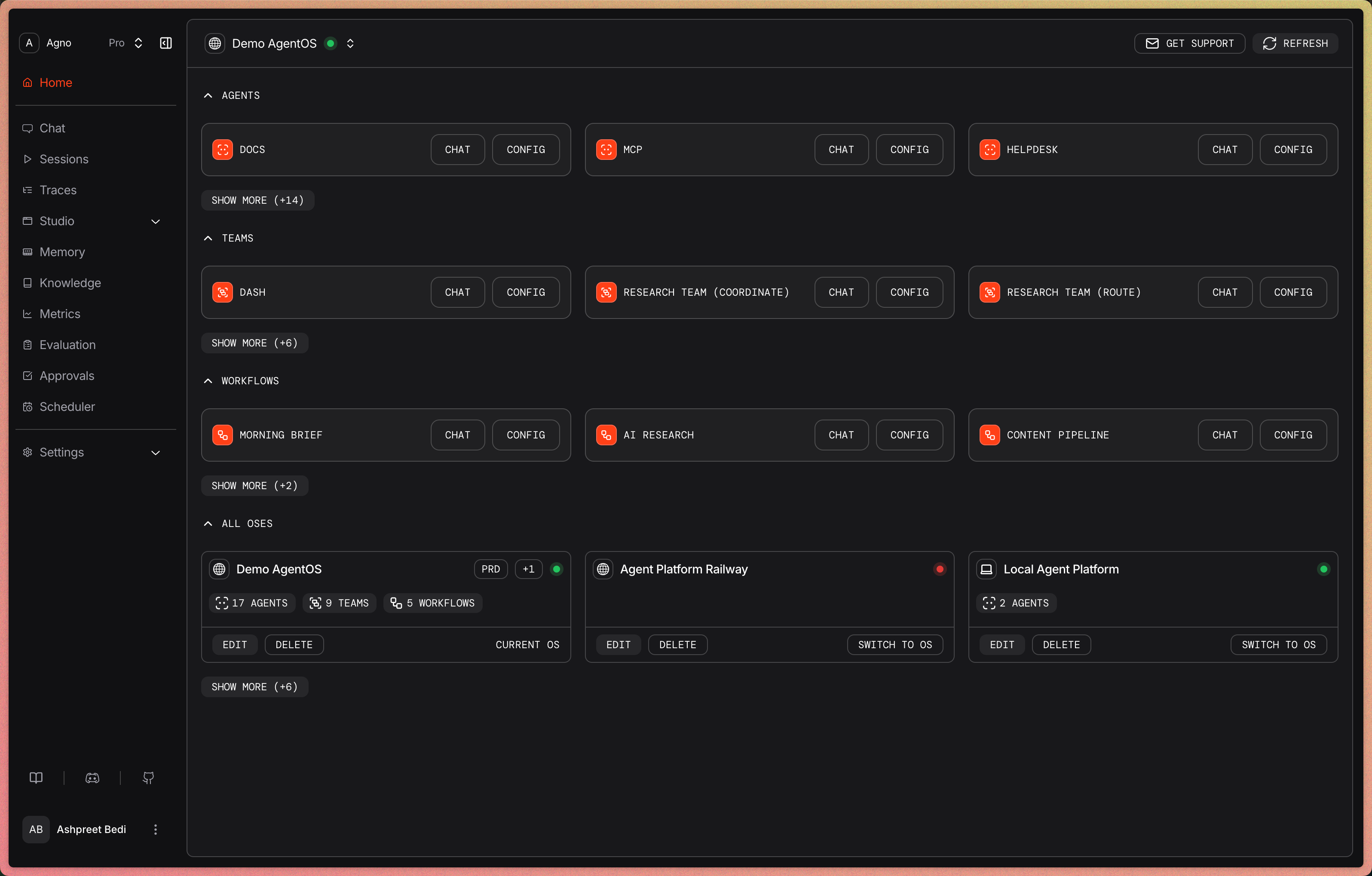 Agents are becoming a core part of every product and team. Intelligent software that was previously impossible is now one agent away. Agno lets you build and run everything as a unified system.
Teams use Agno across a wide range of work, from AI-native software like in-product copilots and agentic widgets, to data labeling, document processing, and employee assistants. AgentOS productionizes agents built with any framework, any model, on any cloud.
Your platform runs in your cloud, and your data is stored in your database. You own your session, memory, and trace data, and use it to auto-improve your agents.
**Here's how teams are using Agno:**
* **Product teams** use Agno to build in-product agents and chat copilots. Many power their entire product using agents running on AgentOS.
* **ML teams** use Agno to label text, image, audio, and video data. Agno is natively typesafe and multi-modal, making it a natural fit for data labeling, extraction, and classification.
* **AI teams** use Agno to generate synthetic data and preference pairs for training and evals. They automate document processing, knowledge organization, and eval generation with Agno.
* **Data science teams** use Agno for data enrichment, segmentation, and training data curation.
* **Data engineering teams** use Agno to automate data quality audits, failure log analysis, and weekly reports.
Everything runs on your infrastructure, managed through a beautiful UI.
## Get started
* [Build your first agent →](/first-agent)
* [Build an agent platform managed entirely by Claude Code →](/agent-platform/overview)
Agents are becoming a core part of every product and team. Intelligent software that was previously impossible is now one agent away. Agno lets you build and run everything as a unified system.
Teams use Agno across a wide range of work, from AI-native software like in-product copilots and agentic widgets, to data labeling, document processing, and employee assistants. AgentOS productionizes agents built with any framework, any model, on any cloud.
Your platform runs in your cloud, and your data is stored in your database. You own your session, memory, and trace data, and use it to auto-improve your agents.
**Here's how teams are using Agno:**
* **Product teams** use Agno to build in-product agents and chat copilots. Many power their entire product using agents running on AgentOS.
* **ML teams** use Agno to label text, image, audio, and video data. Agno is natively typesafe and multi-modal, making it a natural fit for data labeling, extraction, and classification.
* **AI teams** use Agno to generate synthetic data and preference pairs for training and evals. They automate document processing, knowledge organization, and eval generation with Agno.
* **Data science teams** use Agno for data enrichment, segmentation, and training data curation.
* **Data engineering teams** use Agno to automate data quality audits, failure log analysis, and weekly reports.
Everything runs on your infrastructure, managed through a beautiful UI.
## Get started
* [Build your first agent →](/first-agent)
* [Build an agent platform managed entirely by Claude Code →](/agent-platform/overview)