> ## Documentation Index
> Fetch the complete documentation index at: https://docs.agno.com/llms.txt
> Use this file to discover all available pages before exploring further.
# Authorization Failed - JWT Verification
> Diagnose AgentOS 'Authorization Failed' errors: algorithm mismatch, mangled PEM keys, missing scopes, and conflicting auth modes.
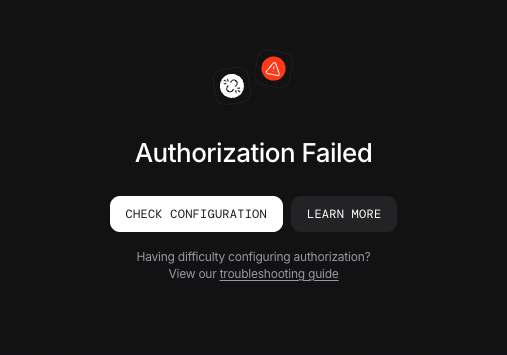
The entries below cover the most common causes of "Authorization Failed" in AgentOS.
 Authenticating with `agno_pat_` service-account tokens instead of JWTs? See [Service Accounts](/agent-os/security/authorization/service-accounts) for their failure modes.
## 401 Unauthorized: algorithm mismatch
You see "Authorization Failed" on every request, consistently across machines.
**Cause:** The algorithm configured on `AuthorizationConfig` does not match how the token was signed.
**Fix:** depends on your setup.
| Setup | What to set |
| --------------------- | ------------------------------------------------------------------------------------------------------------------------------------------------ |
| AgentOS Control Plane | `algorithm="RS256"` or omit it (RS256 is the default). Control Plane-issued public keys are always RS256, so any other value fails verification. |
| Standalone AgentOS | `algorithm` must match how you signed the token. |
```python theme={null}
from agno.os.config import AuthorizationConfig
AuthorizationConfig(
verification_keys=[YOUR_KEY],
algorithm="HS256", # match your signing algorithm
)
```
Supported algorithms: `RS256`, `RS384`, `RS512`, `HS256`, `HS384`, `HS512`, `ES256`, `ES384`, and `ES512`.
## 401 Unauthorized: PEM key may be mangled in env var
You see "Authorization Failed" on some machines but not others, even with the same verification key.
**Cause:** Multi-line PEM keys can lose their newlines when passed through shell environment variables. Depending on your shell, `.env` loader, or how the key was pasted, the `-----BEGIN PUBLIC KEY-----` header, body, and footer may collapse onto one line, producing an unparseable key.
**Fix:** Save the key to a file and load it in code:
```python theme={null}
from agno.os.config import AuthorizationConfig
with open("/path/to/public.pem") as f:
public_key = f.read()
AuthorizationConfig(verification_keys=[public_key], algorithm="RS256")
```
Or place the key in a JWKS file and point AgentOS at it:
```bash theme={null}
export JWT_JWKS_FILE="/path/to/jwks.json"
```
## 403 Forbidden: insufficient scopes
The token is valid but AgentOS returns `403` on a specific endpoint.
**Cause:** The token's `scopes` claim does not include the scope required by the endpoint. Unlike a `401`, the token itself is fine.
**Fix:** Check the [Scope Reference](/agent-os/security/authorization/scopes#scope-reference) for which scope each endpoint needs. A few scopes act as gates in the AgentOS backend, and a token missing any of them fails before finer-grained checks run. See [Access Prerequisites](/agent-os/security/authorization/scopes#access-prerequisites) for the full list.
## Both security key and JWT authorization enabled
You enabled both security key authentication and JWT authorization on the AgentOS Control Plane at the same time.
**Cause:** Authorization takes precedence over security key authentication, so when both are enabled, security key requests fail. See [security key authentication](/agent-os/security/overview#security-key).
**Fix:** depends on your AgentOS version.
### Before v2.3.13
The AgentOS Control Plane only supports security key authentication on these versions. Disable Authorization on the AgentOS Control Plane and continue using security key.
### v2.3.13 and later v2.3.13
Authorization (JWT verification) is preferred over security key authentication as it provides fine-grained RBAC permissions.
Pick one:
1. **Disable Authorization** from the AgentOS Control Plane
2. Continue using security key authentication only
1. **Disable security key authentication** from the AgentOS Control Plane
2. **Unset the security key** from your environment:
```bash theme={null}
unset OS_SECURITY_KEY
```
3. **Ensure Authorization is enabled** on the AgentOS Control Plane and set the verification key. [More info](/agent-os/security/authorization/overview)
```bash theme={null}
export JWT_VERIFICATION_KEY="your-public-key"
```
## Next Steps
* [AgentOS Security overview](/agent-os/security/overview)
* [Authorization](/agent-os/security/authorization/overview)
* [AuthorizationConfig reference](/reference/agent-os/authorization-config)
Authenticating with `agno_pat_` service-account tokens instead of JWTs? See [Service Accounts](/agent-os/security/authorization/service-accounts) for their failure modes.
## 401 Unauthorized: algorithm mismatch
You see "Authorization Failed" on every request, consistently across machines.
**Cause:** The algorithm configured on `AuthorizationConfig` does not match how the token was signed.
**Fix:** depends on your setup.
| Setup | What to set |
| --------------------- | ------------------------------------------------------------------------------------------------------------------------------------------------ |
| AgentOS Control Plane | `algorithm="RS256"` or omit it (RS256 is the default). Control Plane-issued public keys are always RS256, so any other value fails verification. |
| Standalone AgentOS | `algorithm` must match how you signed the token. |
```python theme={null}
from agno.os.config import AuthorizationConfig
AuthorizationConfig(
verification_keys=[YOUR_KEY],
algorithm="HS256", # match your signing algorithm
)
```
Supported algorithms: `RS256`, `RS384`, `RS512`, `HS256`, `HS384`, `HS512`, `ES256`, `ES384`, and `ES512`.
## 401 Unauthorized: PEM key may be mangled in env var
You see "Authorization Failed" on some machines but not others, even with the same verification key.
**Cause:** Multi-line PEM keys can lose their newlines when passed through shell environment variables. Depending on your shell, `.env` loader, or how the key was pasted, the `-----BEGIN PUBLIC KEY-----` header, body, and footer may collapse onto one line, producing an unparseable key.
**Fix:** Save the key to a file and load it in code:
```python theme={null}
from agno.os.config import AuthorizationConfig
with open("/path/to/public.pem") as f:
public_key = f.read()
AuthorizationConfig(verification_keys=[public_key], algorithm="RS256")
```
Or place the key in a JWKS file and point AgentOS at it:
```bash theme={null}
export JWT_JWKS_FILE="/path/to/jwks.json"
```
## 403 Forbidden: insufficient scopes
The token is valid but AgentOS returns `403` on a specific endpoint.
**Cause:** The token's `scopes` claim does not include the scope required by the endpoint. Unlike a `401`, the token itself is fine.
**Fix:** Check the [Scope Reference](/agent-os/security/authorization/scopes#scope-reference) for which scope each endpoint needs. A few scopes act as gates in the AgentOS backend, and a token missing any of them fails before finer-grained checks run. See [Access Prerequisites](/agent-os/security/authorization/scopes#access-prerequisites) for the full list.
## Both security key and JWT authorization enabled
You enabled both security key authentication and JWT authorization on the AgentOS Control Plane at the same time.
**Cause:** Authorization takes precedence over security key authentication, so when both are enabled, security key requests fail. See [security key authentication](/agent-os/security/overview#security-key).
**Fix:** depends on your AgentOS version.
### Before v2.3.13
The AgentOS Control Plane only supports security key authentication on these versions. Disable Authorization on the AgentOS Control Plane and continue using security key.
### v2.3.13 and later v2.3.13
Authorization (JWT verification) is preferred over security key authentication as it provides fine-grained RBAC permissions.
Pick one:
1. **Disable Authorization** from the AgentOS Control Plane
2. Continue using security key authentication only
1. **Disable security key authentication** from the AgentOS Control Plane
2. **Unset the security key** from your environment:
```bash theme={null}
unset OS_SECURITY_KEY
```
3. **Ensure Authorization is enabled** on the AgentOS Control Plane and set the verification key. [More info](/agent-os/security/authorization/overview)
```bash theme={null}
export JWT_VERIFICATION_KEY="your-public-key"
```
## Next Steps
* [AgentOS Security overview](/agent-os/security/overview)
* [Authorization](/agent-os/security/authorization/overview)
* [AuthorizationConfig reference](/reference/agent-os/authorization-config)