> ## Documentation Index
> Fetch the complete documentation index at: https://docs.agno.com/llms.txt
> Use this file to discover all available pages before exploring further.
# CI/CD Automation
> Automate builds with GitHub Actions
## Choose Your Method
| Method | When to Use | Setup Effort |
| ------------------ | -------------------------------- | ------------ |
| Manual builds | Small teams, infrequent deploys | Low |
| DockerHub + GitHub | Using DockerHub, simpler setup | Medium |
| ECR + GitHub OIDC | Using ECR, no stored credentials | Higher |
For manual builds, see [Deploy - AWS
Setup](/deploy/templates/aws/deploy#step-1-aws-setup). ECR
tokens expire after 12 hours.
## PR Validation
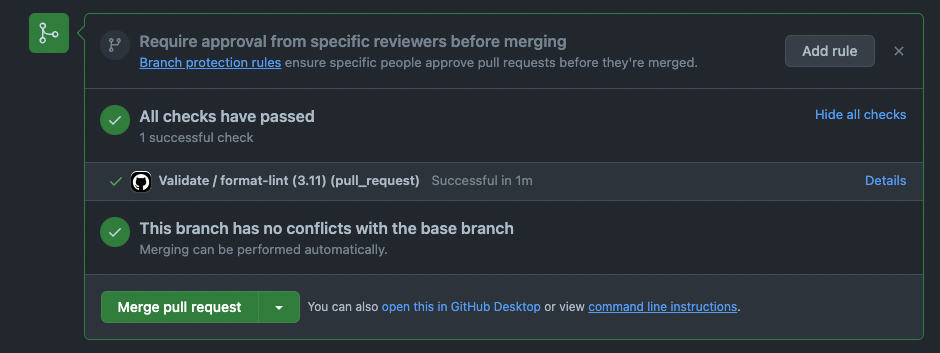
Every PR runs automatic validation. The workflow is in `.github/workflows/validate.yml`:
```yaml theme={null}
# Runs on every PR
on:
pull_request:
```
This checks formatting, tests, and types before merging.
 ## DockerHub with GitHub
Build and push images on GitHub release. Workflow: `.github/workflows/docker-images.yml`
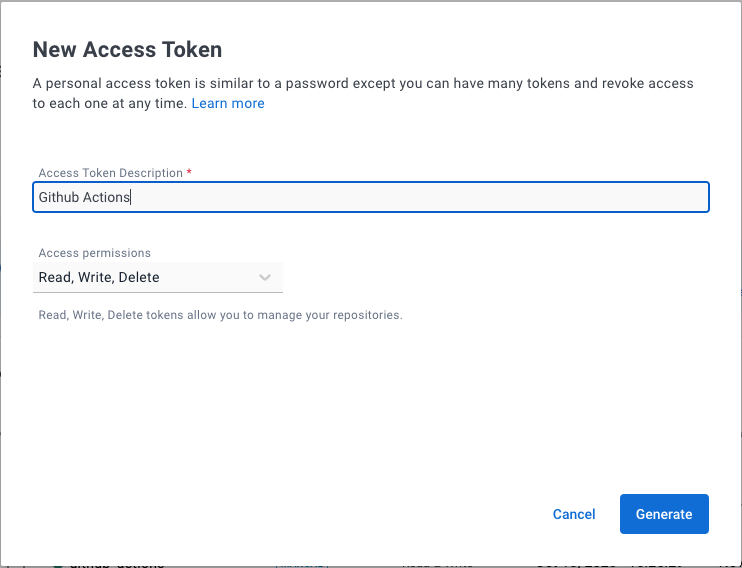
Go to [Docker Hub Settings → Security](https://hub.docker.com/settings/security) and create an access token.
## DockerHub with GitHub
Build and push images on GitHub release. Workflow: `.github/workflows/docker-images.yml`
Go to [Docker Hub Settings → Security](https://hub.docker.com/settings/security) and create an access token.
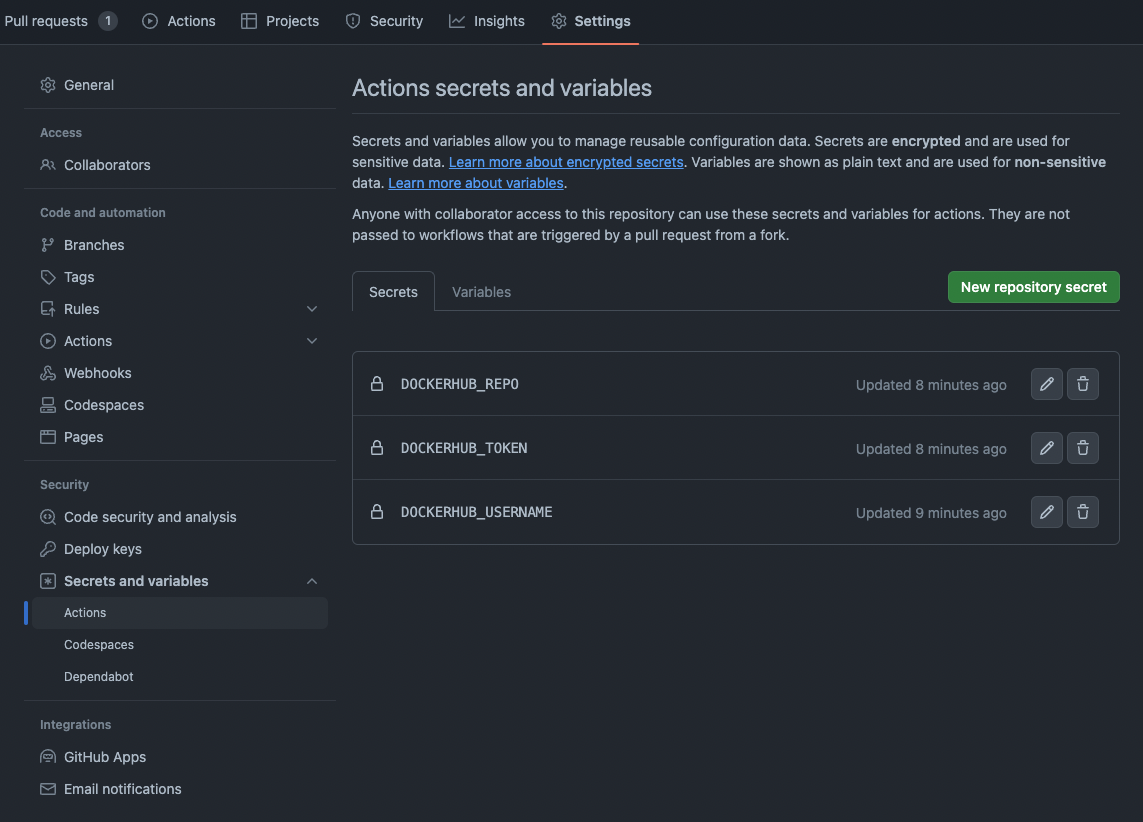
 In your GitHub repo, go to **Settings → Secrets and variables → Actions**.
Add these secrets:
| Name | Value |
| -------------------- | ---------------------------- |
| `DOCKERHUB_USERNAME` | Your Docker Hub username |
| `DOCKERHUB_TOKEN` | The access token from Step 1 |
Add this variable:
| Name | Value |
| --------------------- | ------------------------------------------------- |
| `DOCKERHUB_NAMESPACE` | Your Docker Hub namespace (usually your username) |
In your GitHub repo, go to **Settings → Secrets and variables → Actions**.
Add these secrets:
| Name | Value |
| -------------------- | ---------------------------- |
| `DOCKERHUB_USERNAME` | Your Docker Hub username |
| `DOCKERHUB_TOKEN` | The access token from Step 1 |
Add this variable:
| Name | Value |
| --------------------- | ------------------------------------------------- |
| `DOCKERHUB_NAMESPACE` | Your Docker Hub namespace (usually your username) |
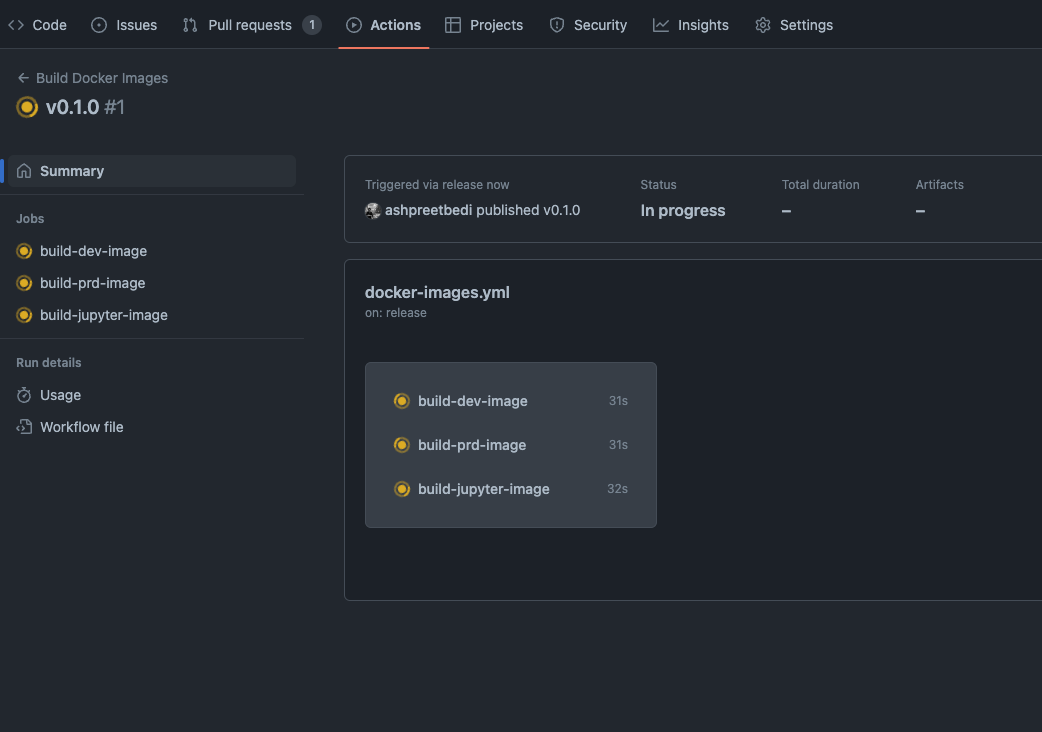
 ```bash theme={null}
gh release create v0.1.0 --title "v0.1.0" -n ""
```
The workflow builds and pushes `your-namespace/agentos-template:dev` and `:prd` tags.
```bash theme={null}
gh release create v0.1.0 --title "v0.1.0" -n ""
```
The workflow builds and pushes `your-namespace/agentos-template:dev` and `:prd` tags.
 ## ECR with GitHub OIDC
Build and push to ECR using OpenID Connect. No IAM access keys stored in GitHub.
Workflow: `.github/workflows/ecr-images.yml`
### Set Up OIDC Provider
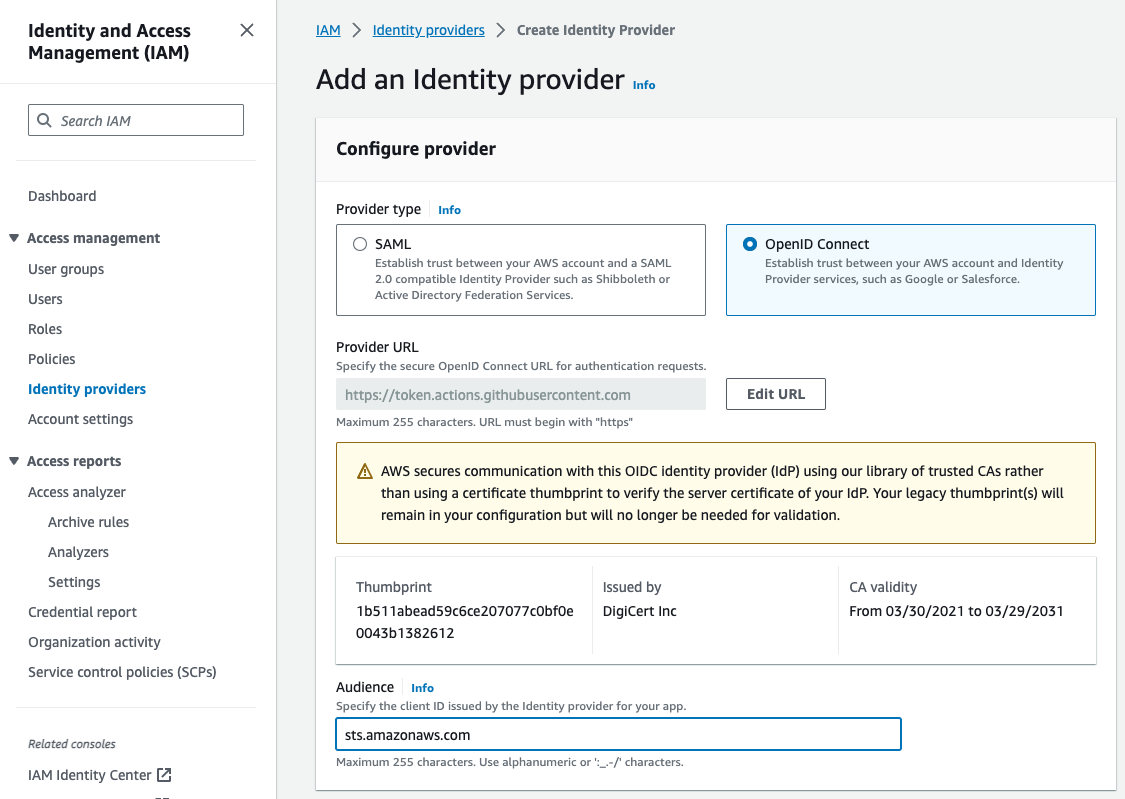
1. Open IAM Console → **Identity providers** → **Add provider**
2. Provider type: **OpenID Connect**
3. Provider URL: `https://token.actions.githubusercontent.com`
4. Click **Get thumbprint**
5. Audience: `sts.amazonaws.com`
## ECR with GitHub OIDC
Build and push to ECR using OpenID Connect. No IAM access keys stored in GitHub.
Workflow: `.github/workflows/ecr-images.yml`
### Set Up OIDC Provider
1. Open IAM Console → **Identity providers** → **Add provider**
2. Provider type: **OpenID Connect**
3. Provider URL: `https://token.actions.githubusercontent.com`
4. Click **Get thumbprint**
5. Audience: `sts.amazonaws.com`
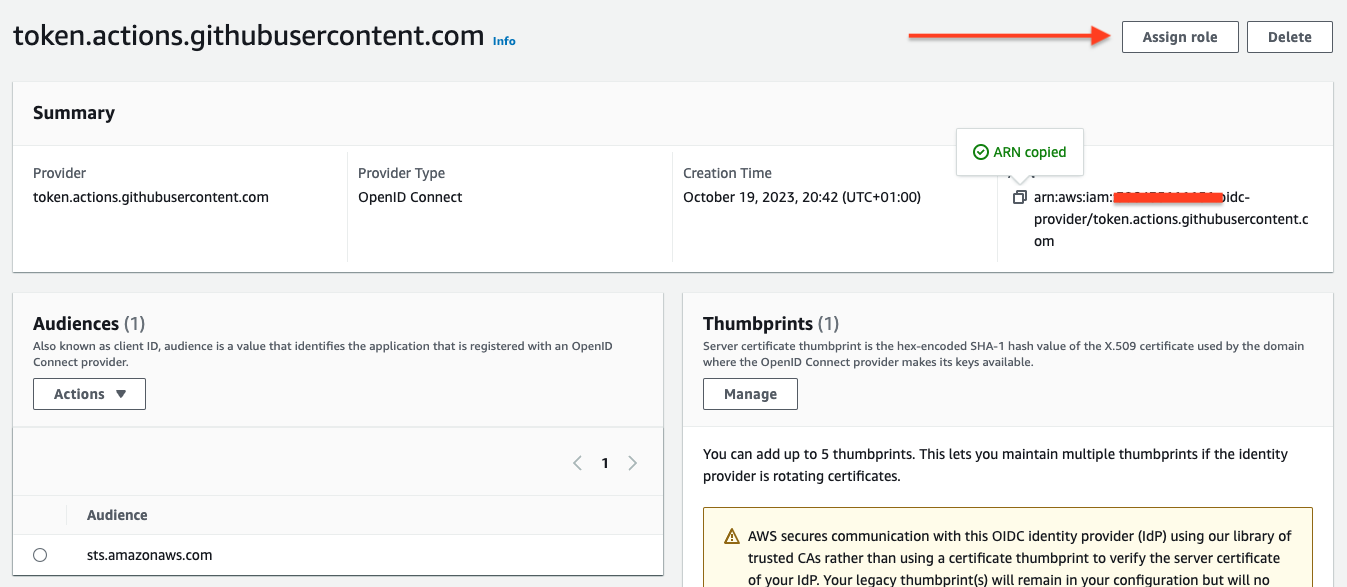
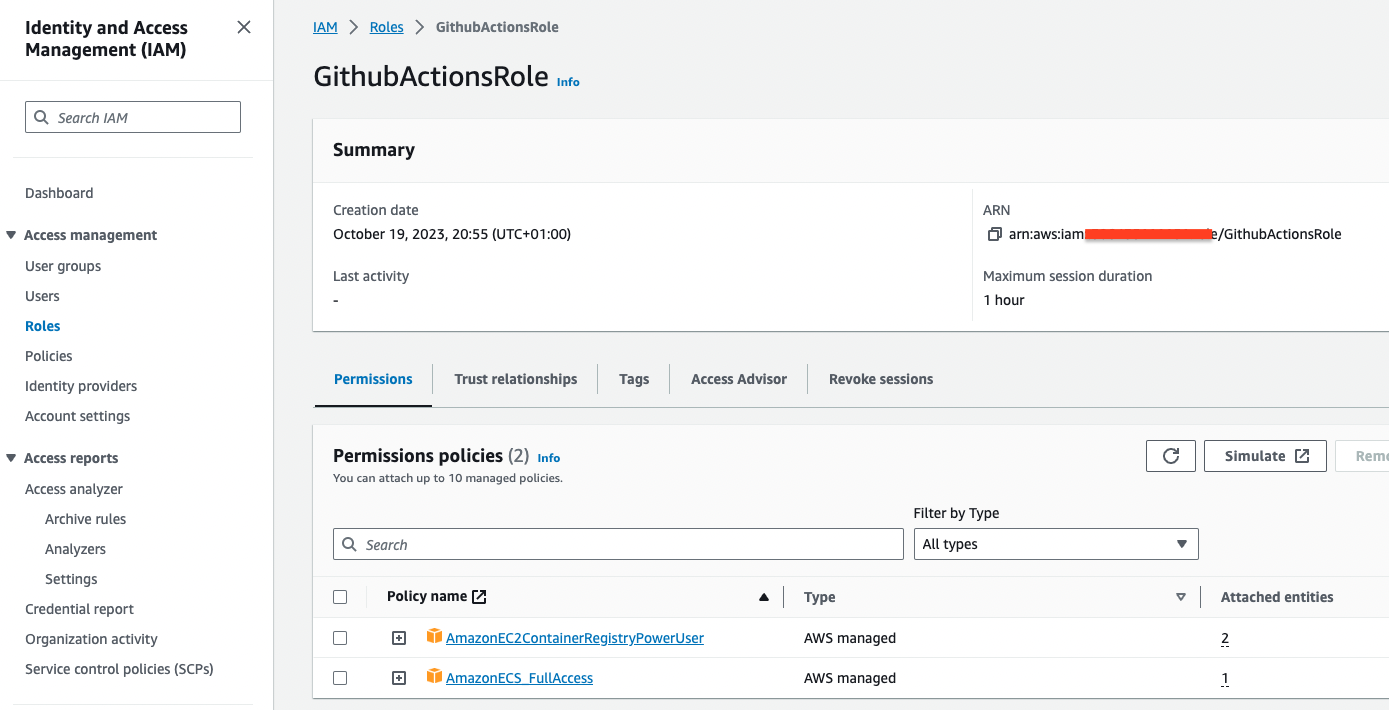
 1. After adding the provider, click **Assign role** → **Create a new role**
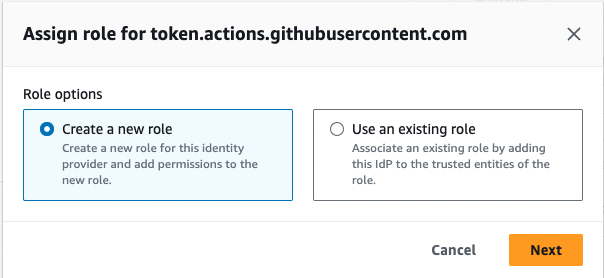
 2. Select **Create a new role**
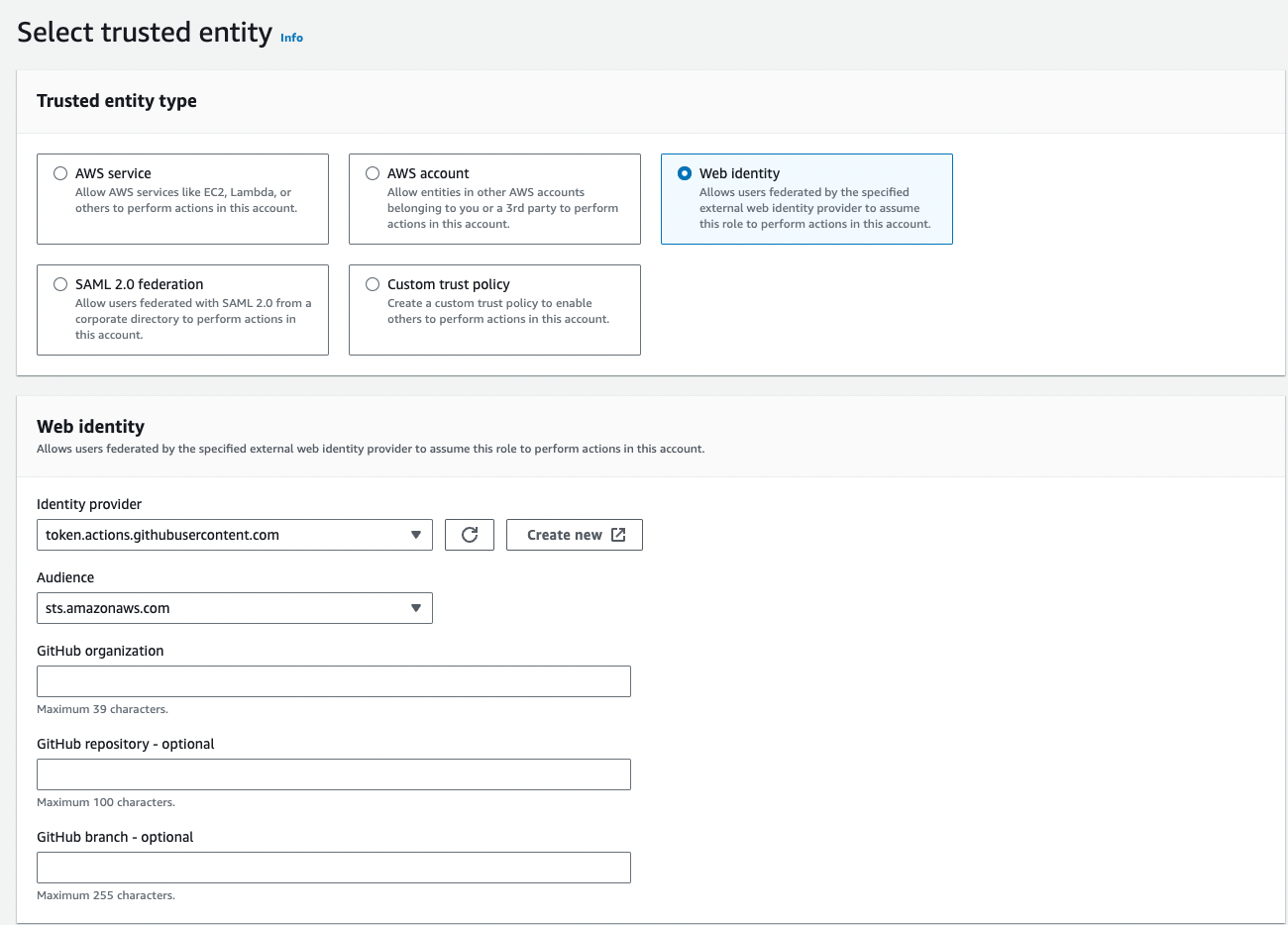
 3. Confirm **Web identity** is selected as trusted entity, Identity provider shows GitHub, and Audience is `sts.amazonaws.com`
 4. Add permission: `AmazonEC2ContainerRegistryPowerUser`
5. Role name: `GithubActionsRole`
6. Copy the Role ARN (format: `arn:aws:iam::[ACCOUNT_ID]:role/GithubActionsRole`)
4. Add permission: `AmazonEC2ContainerRegistryPowerUser`
5. Role name: `GithubActionsRole`
6. Copy the Role ARN (format: `arn:aws:iam::[ACCOUNT_ID]:role/GithubActionsRole`)
 Edit `.github/workflows/ecr-images.yml`:
```yaml theme={null}
env:
ECR_REPO: [ACCOUNT_ID].dkr.ecr.us-east-1.amazonaws.com
AWS_ROLE: arn:aws:iam::[ACCOUNT_ID]:role/GithubActionsRole
AWS_REGION: us-east-1
```
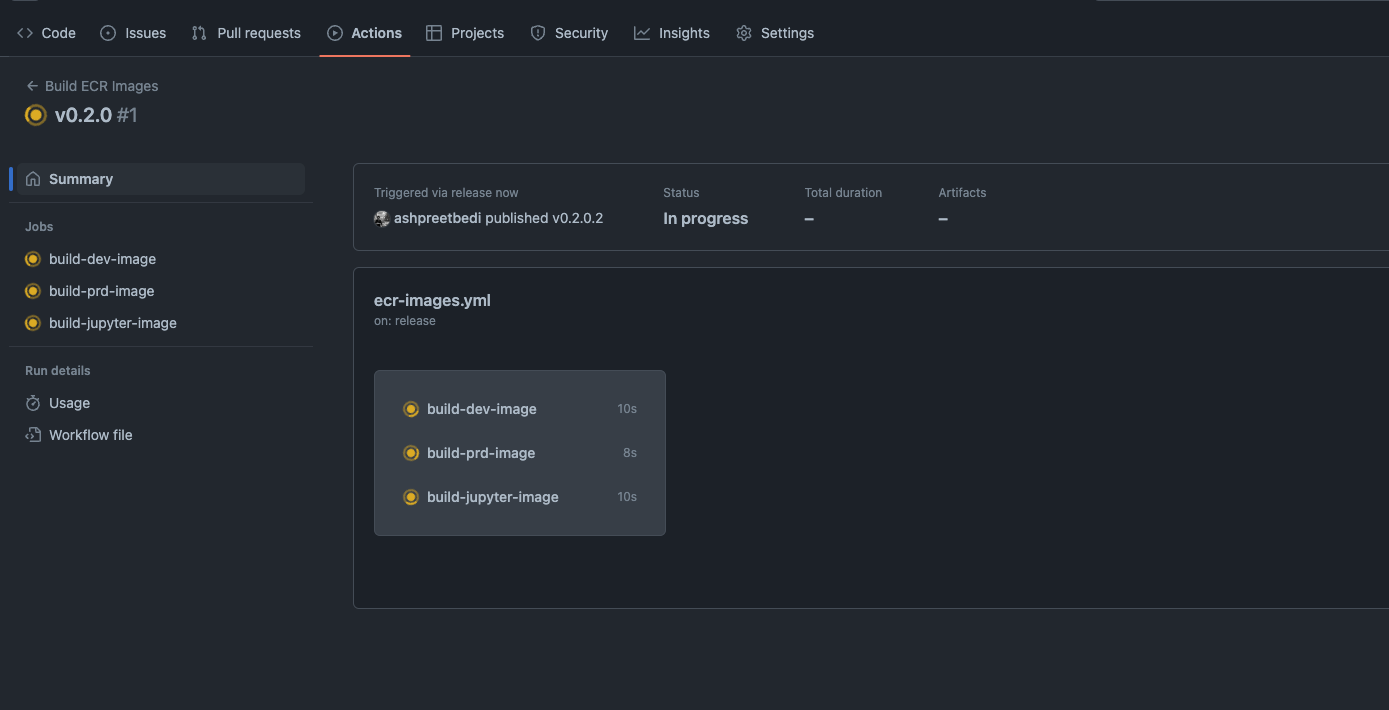
The workflow defaults to `workflow_dispatch` (manual trigger). To trigger on release:
```yaml theme={null}
on:
release:
types: [published]
```
If using ECR, disable the DockerHub workflow by changing its trigger:
```yaml theme={null}
# In docker-images.yml
on: workflow_dispatch
```
```bash theme={null}
gh release create v0.1.0 --title "v0.1.0" -n ""
```
Or trigger manually:
```bash theme={null}
gh workflow run ecr-images.yml
```
Edit `.github/workflows/ecr-images.yml`:
```yaml theme={null}
env:
ECR_REPO: [ACCOUNT_ID].dkr.ecr.us-east-1.amazonaws.com
AWS_ROLE: arn:aws:iam::[ACCOUNT_ID]:role/GithubActionsRole
AWS_REGION: us-east-1
```
The workflow defaults to `workflow_dispatch` (manual trigger). To trigger on release:
```yaml theme={null}
on:
release:
types: [published]
```
If using ECR, disable the DockerHub workflow by changing its trigger:
```yaml theme={null}
# In docker-images.yml
on: workflow_dispatch
```
```bash theme={null}
gh release create v0.1.0 --title "v0.1.0" -n ""
```
Or trigger manually:
```bash theme={null}
gh workflow run ecr-images.yml
```
 **Why OIDC?** GitHub Actions requests a temporary token from AWS instead of
using stored credentials. More secure, no credential rotation needed.
## After CI/CD Builds
After a new image is pushed, update your ECS deployment:
```bash Full Options theme={null}
ag infra patch --env prd --infra aws --name service
```
```bash Shorthand theme={null}
ag infra patch prd:aws::service
```
This triggers a new deployment with the latest image.
**Why OIDC?** GitHub Actions requests a temporary token from AWS instead of
using stored credentials. More secure, no credential rotation needed.
## After CI/CD Builds
After a new image is pushed, update your ECS deployment:
```bash Full Options theme={null}
ag infra patch --env prd --infra aws --name service
```
```bash Shorthand theme={null}
ag infra patch prd:aws::service
```
This triggers a new deployment with the latest image.