> ## Documentation Index
> Fetch the complete documentation index at: https://docs.agno.com/llms.txt
> Use this file to discover all available pages before exploring further.
# Scheduler
> Deploy and manage scheduled execution for agents and workflows via AgentOS cron jobs.
Run cron-based jobs in AgentOS with built-in schedule management and run history.
```bash theme={null}
pip install "agno[scheduler]"
```
```python theme={null}
from agno.agent import Agent
from agno.db.postgres import PostgresDb
from agno.models.openai import OpenAIChat
from agno.os import AgentOS
db = PostgresDb(db_url="postgresql+psycopg://ai:ai@localhost:5532/ai")
greeter = Agent(
id="greeter",
model=OpenAIChat(id="gpt-4o-mini"),
instructions=["Reply with a short greeting."],
db=db,
)
app = AgentOS(
agents=[greeter],
db=db,
scheduler=True,
scheduler_poll_interval=15,
).get_app()
```
## Create Schedule
Create a schedule with the Scheduler API:
```bash theme={null}
curl -X POST http://localhost:7777/schedules \
-H "Content-Type: application/json" \
-d '{
"name": "greeting-every-5m",
"cron_expr": "*/5 * * * *",
"endpoint": "/agents/greeter/runs",
"method": "POST",
"payload": {"message": "Say hello"},
"timezone": "UTC",
"max_retries": 2,
"retry_delay_seconds": 30
}'
```
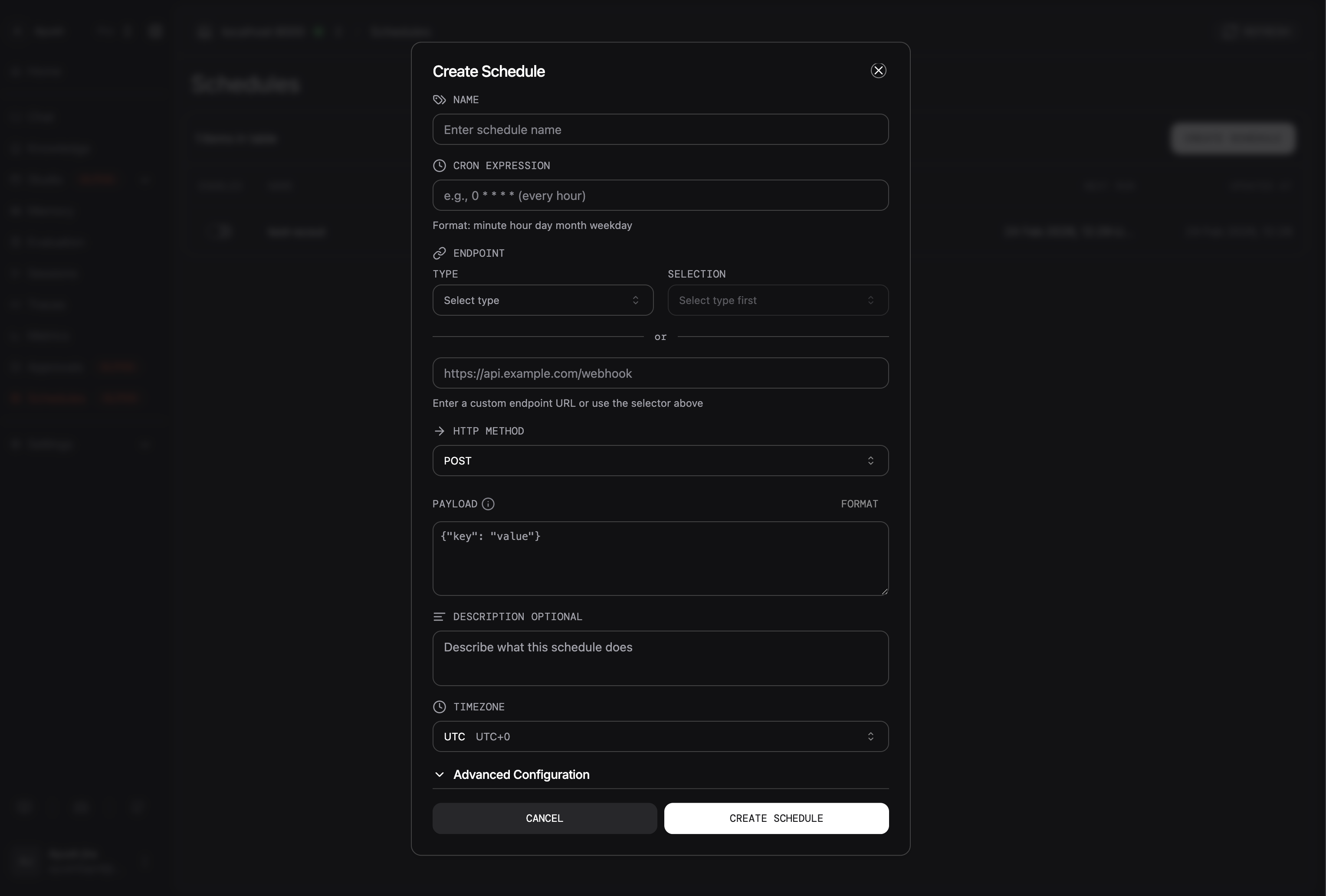
Create a schedule using the AgentOS UI:
 ## Managing Schedules
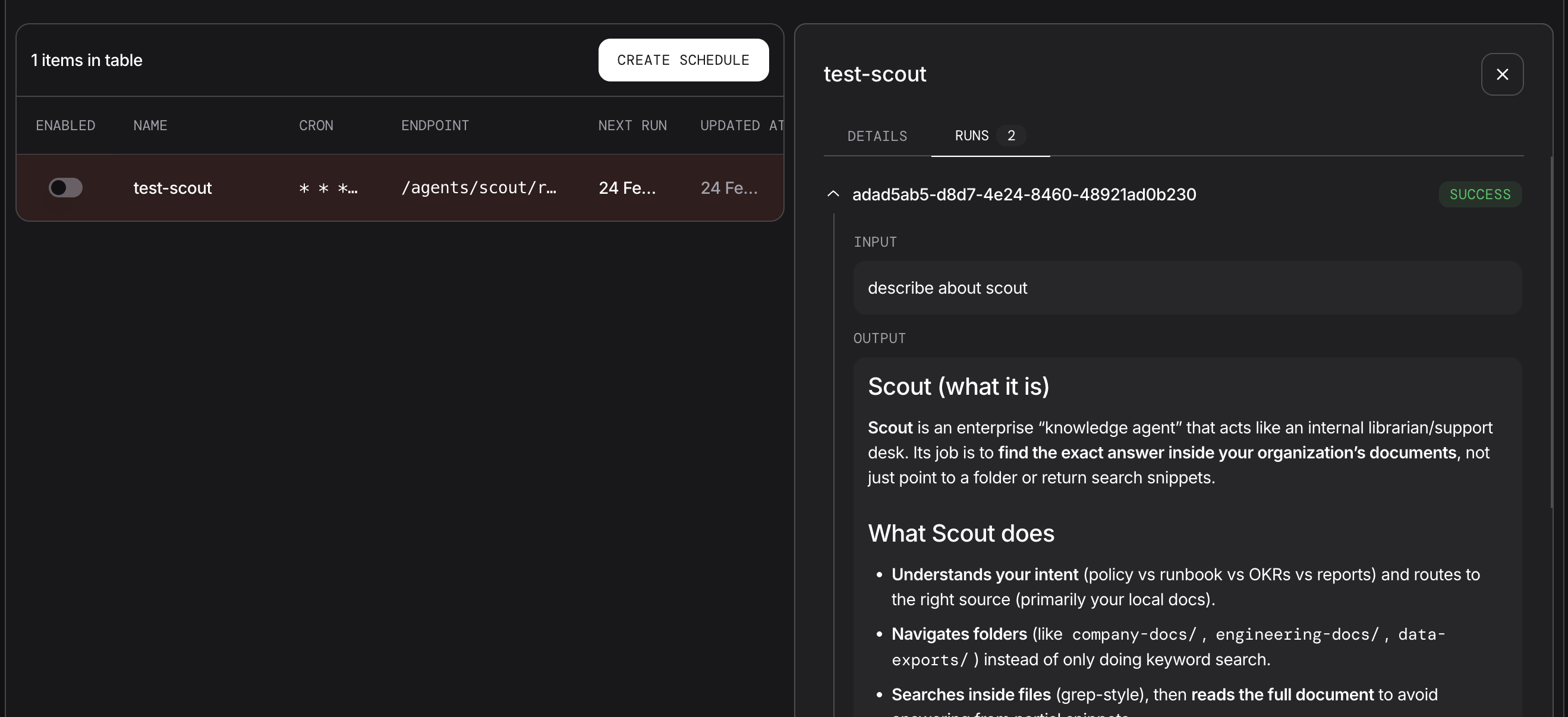
Manage execution schedules via the AgentOS Control Panel. Select any row entry in the Scheduler details panel to view configuration details and run history.
## Managing Schedules
Manage execution schedules via the AgentOS Control Panel. Select any row entry in the Scheduler details panel to view configuration details and run history.
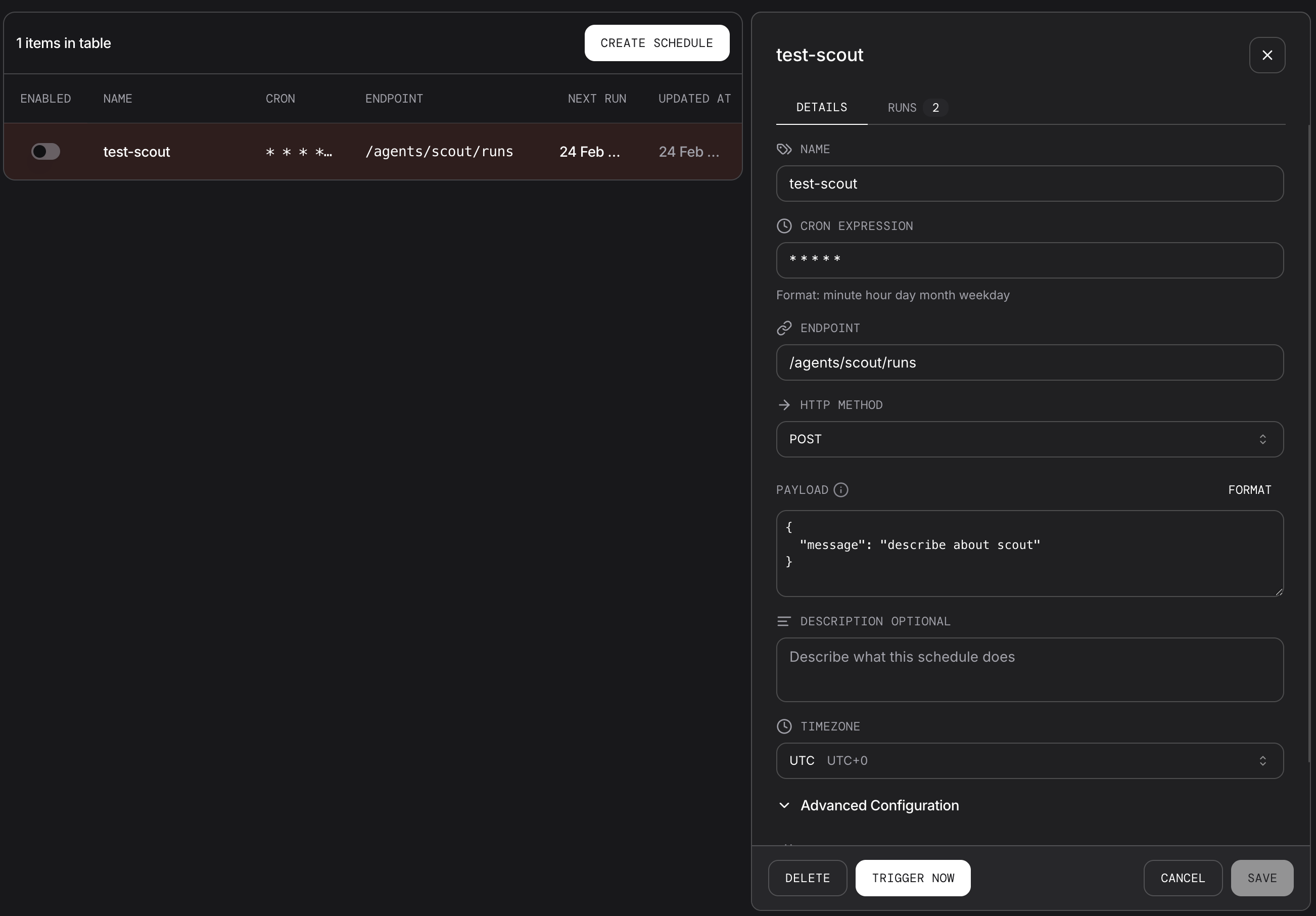
 Edit schedule configuration, enable or disable schedule , trigger it manually or delete it.
 ## Key Concepts
| Concept | Description |
| ----------- | ------------------------------------------------------------------------ |
| Cron | Standard 5-field cron syntax: minute hour day-of-month month day-of-week |
| Endpoint | Path only (for example `/agents/greeter/runs`), not a full URL |
| Timezone | IANA timezone string, defaults to `UTC` |
| Retries | `max_retries` and `retry_delay_seconds` control failure retries |
| Run history | Each execution stores status, timing, input, output, and errors |
## Scheduler API
| Operation | Endpoint |
| ----------------- | ---------------------------------------------------------------------------------- |
| Create schedule | `POST /schedules` |
| List schedules | `GET /schedules` |
| Get schedule | `GET /schedules/{schedule_id}` |
| Update schedule | `PATCH /schedules/{schedule_id}` |
| Delete schedule | `DELETE /schedules/{schedule_id}` |
| Enable or disable | `POST /schedules/{schedule_id}/enable` and `POST /schedules/{schedule_id}/disable` |
| Trigger now | `POST /schedules/{schedule_id}/trigger` |
| List runs | `GET /schedules/{schedule_id}/runs` |
| Get run | `GET /schedules/{schedule_id}/runs/{run_id}` |
## Next Steps
| Task | Guide |
| ---------------------------------- | ----------------------------------------------------------------------- |
| Start with a minimal setup | [Basic Schedule](/examples/agent-os/scheduler/basic-schedule) |
| Manage schedules with REST | [Schedule Management](/examples/agent-os/scheduler/schedule-management) |
| Check request and response schemas | [Schedule API schemas](/reference-api/schema/schedules/create-schedule) |
| Explore all scheduler examples | [Scheduler Examples](/examples/agent-os/scheduler/overview) |
## Key Concepts
| Concept | Description |
| ----------- | ------------------------------------------------------------------------ |
| Cron | Standard 5-field cron syntax: minute hour day-of-month month day-of-week |
| Endpoint | Path only (for example `/agents/greeter/runs`), not a full URL |
| Timezone | IANA timezone string, defaults to `UTC` |
| Retries | `max_retries` and `retry_delay_seconds` control failure retries |
| Run history | Each execution stores status, timing, input, output, and errors |
## Scheduler API
| Operation | Endpoint |
| ----------------- | ---------------------------------------------------------------------------------- |
| Create schedule | `POST /schedules` |
| List schedules | `GET /schedules` |
| Get schedule | `GET /schedules/{schedule_id}` |
| Update schedule | `PATCH /schedules/{schedule_id}` |
| Delete schedule | `DELETE /schedules/{schedule_id}` |
| Enable or disable | `POST /schedules/{schedule_id}/enable` and `POST /schedules/{schedule_id}/disable` |
| Trigger now | `POST /schedules/{schedule_id}/trigger` |
| List runs | `GET /schedules/{schedule_id}/runs` |
| Get run | `GET /schedules/{schedule_id}/runs/{run_id}` |
## Next Steps
| Task | Guide |
| ---------------------------------- | ----------------------------------------------------------------------- |
| Start with a minimal setup | [Basic Schedule](/examples/agent-os/scheduler/basic-schedule) |
| Manage schedules with REST | [Schedule Management](/examples/agent-os/scheduler/schedule-management) |
| Check request and response schemas | [Schedule API schemas](/reference-api/schema/schedules/create-schedule) |
| Explore all scheduler examples | [Scheduler Examples](/examples/agent-os/scheduler/overview) |