# Approvals (/agent-os/approvals/overview)
Approve, reject, and audit tool executions that require human authorization directly from AgentOS.
Use a running [PostgreSQL database](/database/providers/postgres/usage/postgres-for-agent) with the `ai` user, password, and database on port 5532, or replace the example `db_url`. Install the server and driver dependencies and set the model key in its terminal:
```bash
uv pip install -U "agno[os]" openai "psycopg[binary]"
export OPENAI_API_KEY="your_openai_api_key"
```
Save this simulated deletion example as `approvals_app.py`, then start it with `uvicorn approvals_app:app --host 127.0.0.1 --port 7777`. The tool records a demonstration response and does not delete data.
```python
from agno.agent import Agent
from agno.approval import approval
from agno.db.postgres import PostgresDb
from agno.models.openai import OpenAIChat
from agno.os import AgentOS
from agno.tools import tool
db = PostgresDb(db_url="postgresql+psycopg://ai:ai@localhost:5532/ai")
@approval
@tool(requires_confirmation=True)
def delete_user_data(user_id: str) -> str:
"""Simulate deleting user data after confirmation."""
return f"Simulation complete for user {user_id}; no data was deleted."
agent = Agent(
id="data-manager",
model=OpenAIChat(id="gpt-4o-mini"),
tools=[delete_user_data],
instructions=["You help users manage data operations."],
db=db,
)
app = AgentOS(
agents=[agent],
db=db,
).get_app()
```
## Approval Flow [#approval-flow]
When a user triggers a tool decorated with `@approval`, the run pauses and a pending record is persisted to the database. An admin resolves the request via the AgentOS Control Plane or the API, and the run can then be continued.
## Managing Approvals [#managing-approvals]
View and resolve pending approvals from the AgentOS Control Plane. Each entry shows the agent, tool, arguments, and requesting user.
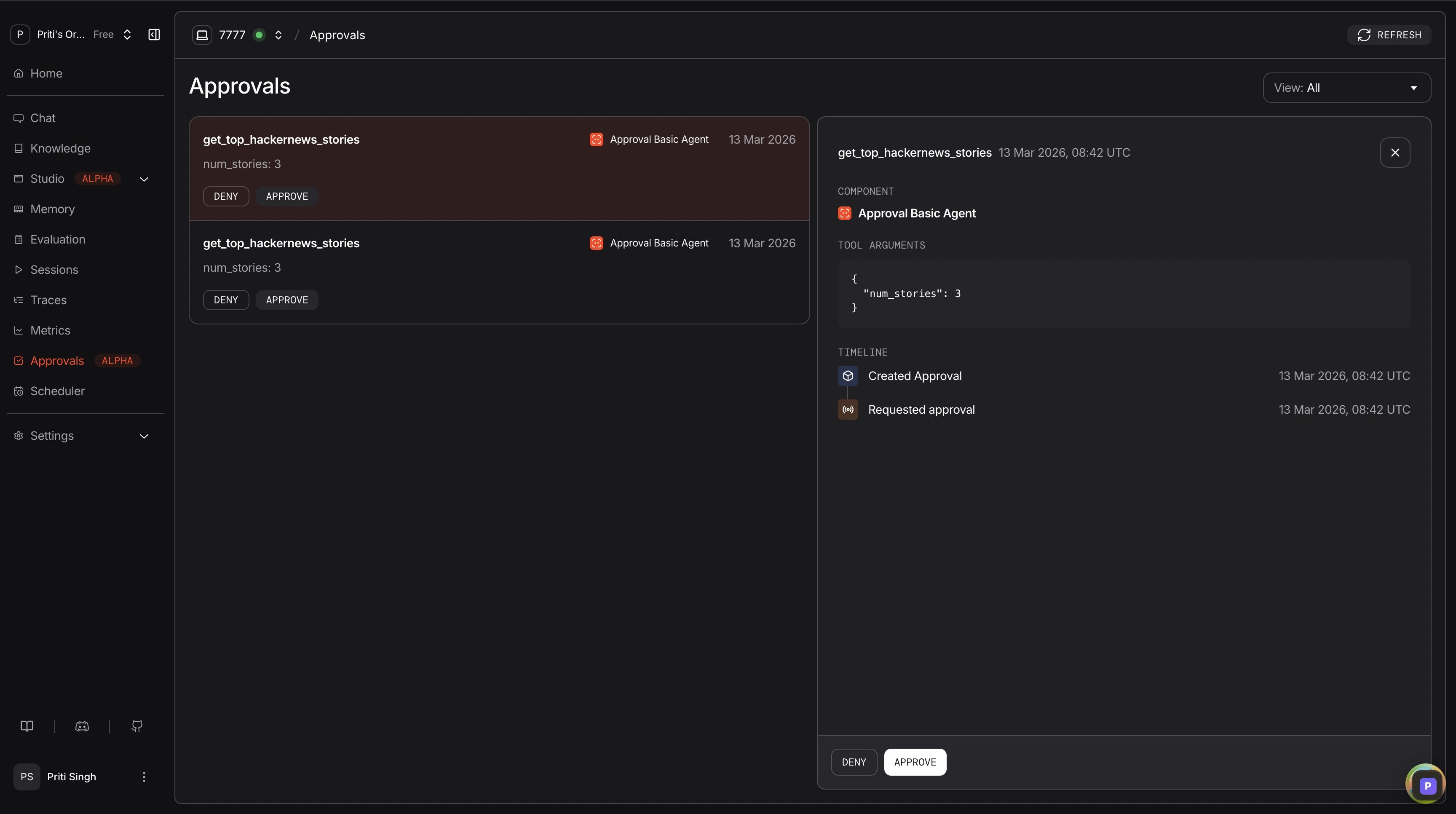 Review details, approve or reject, and track resolution history.
## Approval Types [#approval-types]
| Type | Behavior | Use Case |
| ------------------------- | ------------------------------------------------------------------------------------------------------------------------------------------------------------------------------------------------ | ------------------------------------- |
| `@approval` (default) | **Blocking.** Run pauses until an admin approves or rejects. | Deletions, payments, bulk operations |
| `@approval(type="audit")` | **Non-blocking.** The run pauses only for the tool's HITL step. A resolved audit record is created after the step completes. Requires a HITL flag on `@tool()`, such as `requires_confirmation`. | Compliance logging, activity auditing |
## Approvals API [#approvals-api]
| Operation | Endpoint |
| ------------------- | ------------------------------------------------- |
| List approvals | `GET /approvals` |
| Get approval | `GET /approvals/{approval_id}` |
| Get approval status | `GET /approvals/{approval_id}/status` |
| Get approval count | `GET /approvals/count` |
| Resolve approval | `POST /approvals/{approval_id}/resolve` |
| Delete approval | `DELETE /approvals/{approval_id}` |
With RBAC enabled, resolving requires `approvals:write`. User-scoped non-admin callers cannot resolve or delete approvals: those routes return `404`, even with the write scope. This applies to JWT users when user isolation is enabled and to scoped service accounts. Use an admin credential for those operations. Open instances and other unscoped callers retain access subject to their configured authentication and scopes.
Continuing a run is a separate check: `approvals:write` can authorize continuation of a run paused on a required approval, but does not bypass the resolve endpoint's user-isolation rule.
## Next Steps [#next-steps]
| Task | Guide |
| ------------------------- | --------------------------------------------------------------------------------- |
| Blocking approval basics | [Approval basic](/examples/agents/approvals/approval-basic) |
| List and resolve workflow | [Approval list and resolve](/examples/agents/approvals/approval-list-and-resolve) |
| Audit-style approvals | [Audit approval](/examples/agents/approvals/audit-approval-confirmation) |
| Team-level approvals | [Team approval](/examples/agents/approvals/approval-team) |
| API reference | [Approval API schemas](/reference-api/schema/approvals/list-approvals) |